User Manual: WaveLinx Lite (4.0)
42
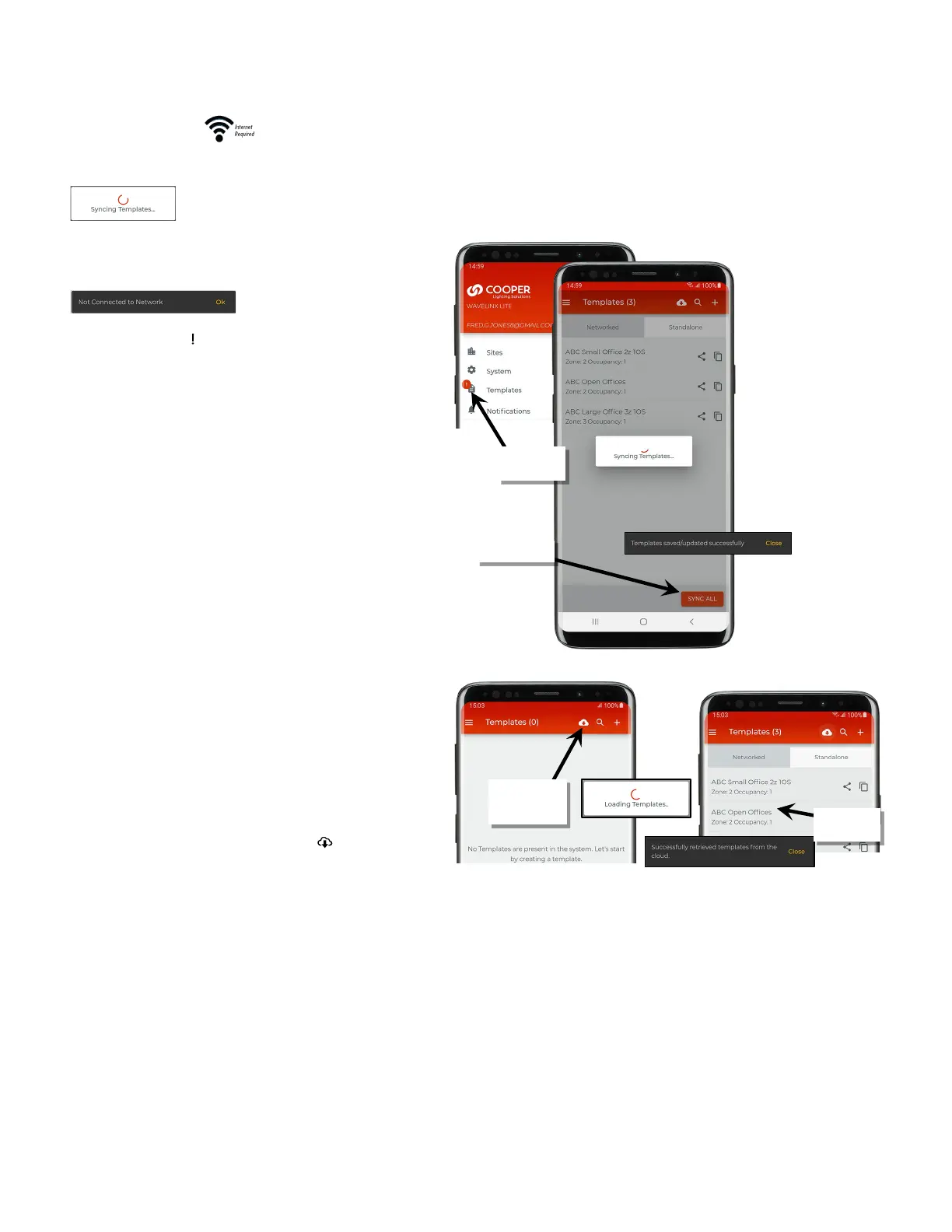
If there is an internet connection, the template will automatically sync to the registered user’s cloud account when the template is saved.
If there is no internet connection, the template will be saved to
the mobile device only
and a message will be displayed.
An exclamation point ‘ ‘ icon will appear on the menu templates
option
to indicate a sync issue.
established an internet connection and
tap ‘Sync’ at the bottom of the template screen.
When the templates page is opened, on a device with an internet
connection, templates will load from
both the local device and
user’s cloud account.
If the user needs to login to their pre
-existing WaveLinx Lite
Mobile App using a new mobile devic
e, previously created
templates should appear automatically when the templates
screen
is opened.
If there is no internet connection available when the templates
screen is opened on a new
mobile device, templates may appear
to be missing. Tap the cloud down
load icon ‘ ‘ to download the
templates from the user’s cloud storage.
Use a Template to Create an Area
Once a template is created, use the template to create areas in the site. During the area creation, either through the site setup wizard or when
manually creating areas, the option will be given to load templates to create the area(s). For details on using templates to create areas:
• For information on using templates to create areas in the Site Setup Wizard, see “Step 2: Create or Load Templates in the Site Setup
Wizard” on page 51 and “Step 3: Create Areas Using the Site Setup Wizard” on page 52.
• For information on using templates to create areas manually, see “Step 2: Create Areas” on page 58.
in sync
appearing, tap
cloud download
downloaded



 To Next Page