User Manual: WaveLinx Lite (4.0)
29
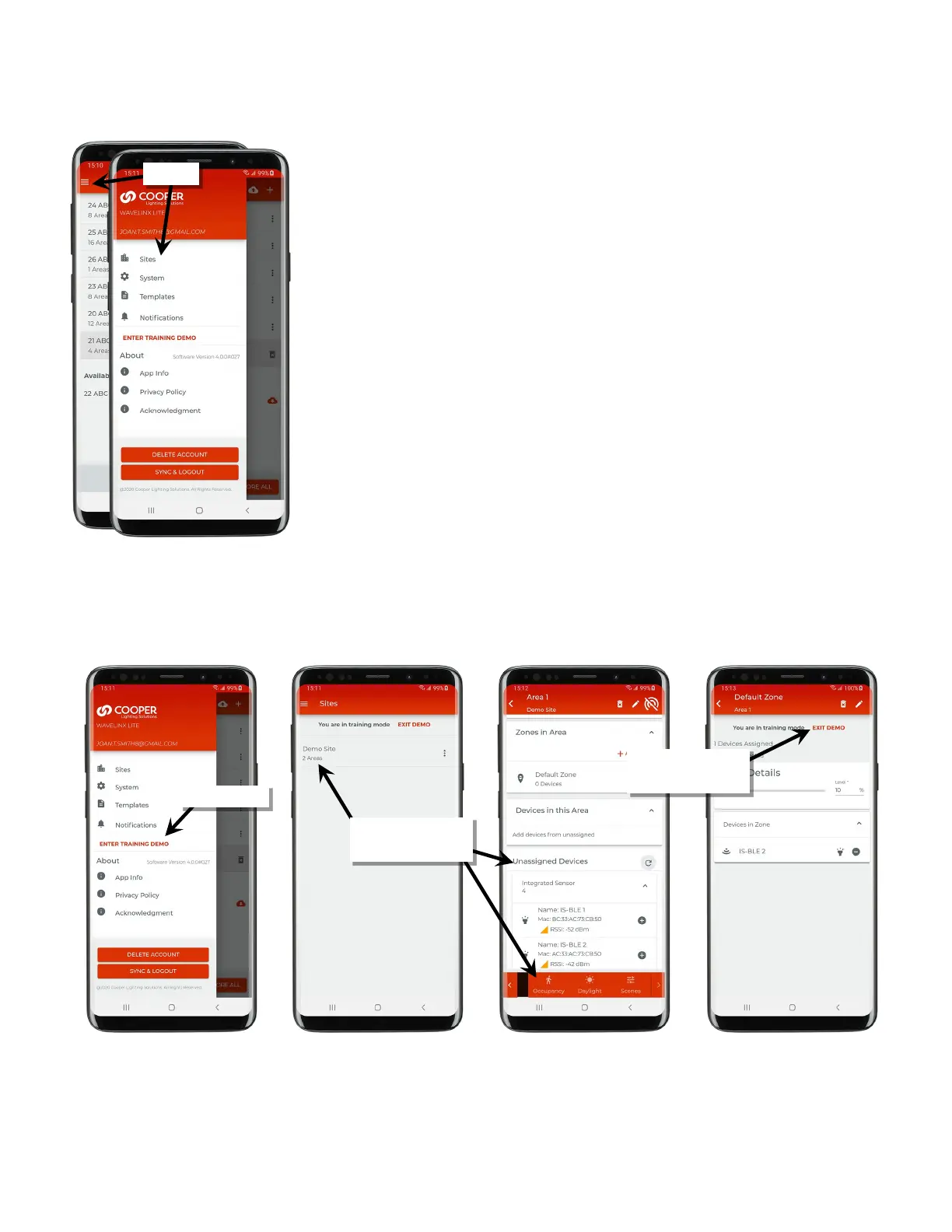
Main Menu Options
The WaveLinx Lite menu allows access to additional features.
• Sites Menu: Allows access to the site programming.
• System Menu: Allows access to backup/restore and firmware update options. See
“Perform Administrative Functions” on page 147 for an in-depth overview.
• Template Menu: Allows access to create or view templates. See “Create Templates for
Initial Site Setup” on page 34 for an in-depth overview.
• Notification Menu: Allows view of notifications from the mobil
e app. The app will display
a notification icon when notifications are available.
• About: The About section contains information about the mobile application version
policies.
Use the Training Demo
Enter the training demo to learn how to set up a basic WaveLinx Lite site. The demo site does not require any connection to WaveLinx Lite
equipment. It allows offline exploration of the basics of navigation, device provisioning and programming. Exit demo mode to reset the demo
database and return to normal operation.
provision devices, and adjust
programming
Exit the demo and clear the
demo database



 To Next Page