User Manual: WaveLinx Lite (4.0)
49
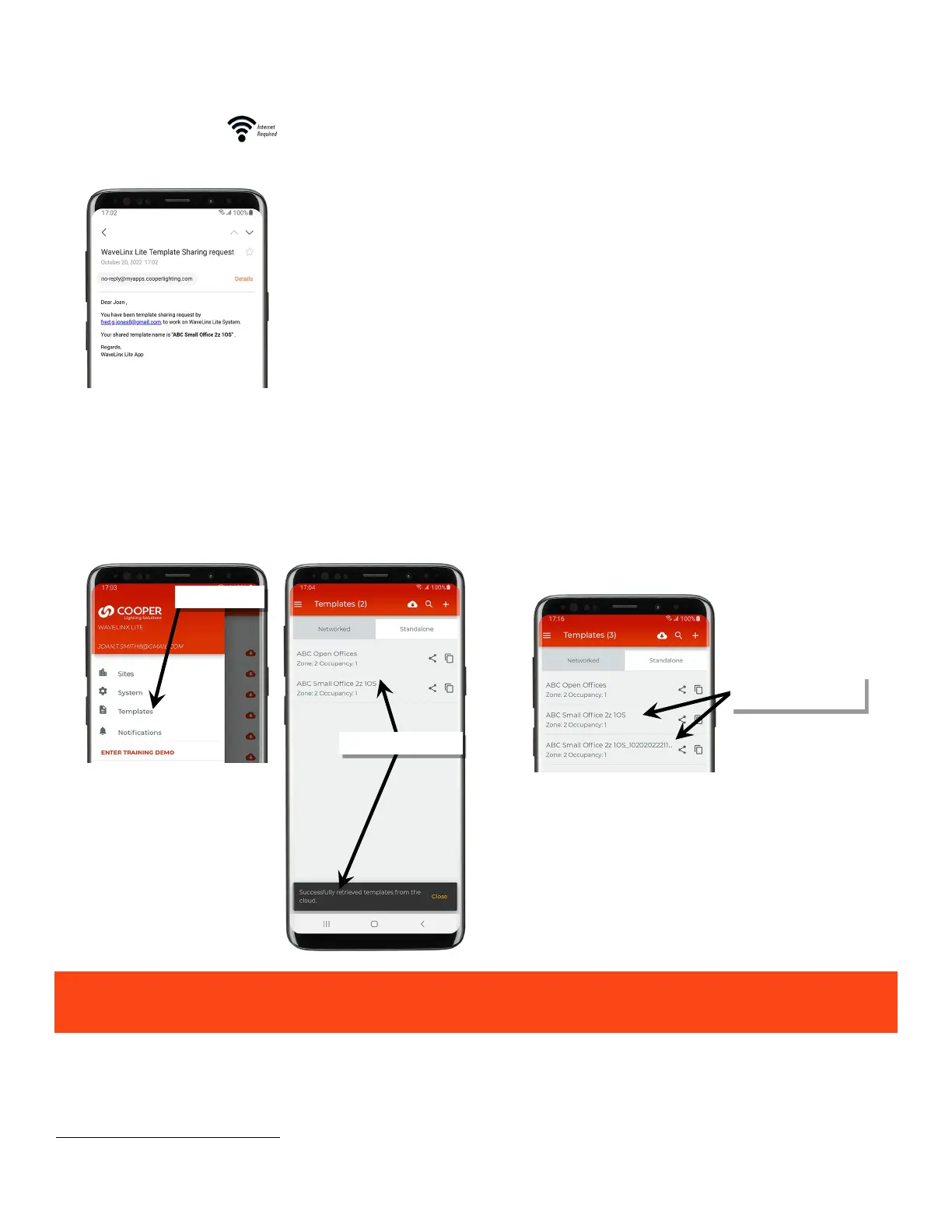
When a template is shared, an email is sent to the template recipient alerting them that a template has been shared with them.
52
To load the shared template:
1: Ensure that the mobile device being used has an internet connection and that the registered user account that the template has been shared
to is logged in.
2: From the menu, select ‘Templates’. Once the template page load is complete, the shared template should be shown in the template list.
If the shared template has the same name as a template that is already in the user’s account, the template name will be appended with a
randomized date code.
The user receiving the template receives a copy of the template. Neither the sender nor receiver will receive updates to
the template when changes are made unless the template is manually shared again.
52
Note that if a template has been shared by the administrator through inviting co-commissioners to work on the site, the recipient will receive the email regarding working on
the shared site with the template name listed in the middle of the email.
Shared template is loaded
Template with the same name
appended with date code



 To Next Page