User Manual: WaveLinx Lite (4.0)
74
-Commissioner(s): Review Invitation and Restore Site Workspace
An internet connection is required for this step.
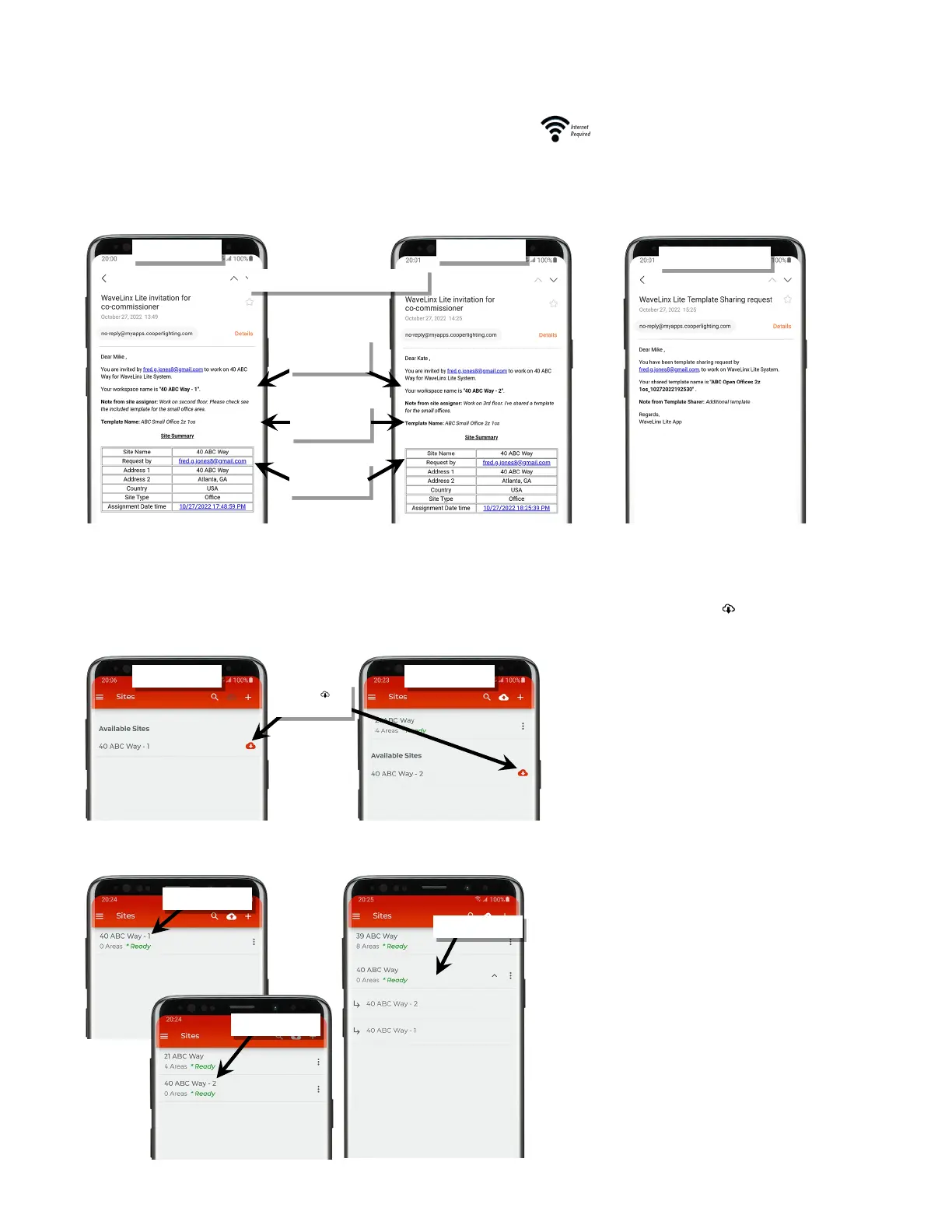
Co-commissioners for the site will receive an email invitation letting them know that the site administrator has invited them to work on the site
commissioning. The email will include the site workspace name, shared template name, any notes provided by the site administrator, and the
email address of the site administrator.
To open their site workspace, co-commissioners should:
1: Open the WaveLinx Lite Mobile Application.
2: In the ‘Sites’ list, the co-commissioner should see the assigned site workspace. Tap the site’s download button ‘ ’ to load the site from the
cloud to the co-commissioner’s mobile device.
Co-commissioners will only see their assigned site workspace and will not have the drop down shown on the site administrator’s screen.
Invitation email sent to co-commissioners
name and notes
and site info
name
Download ‘ ’ the
site workspace



 To Next Page