User Manual: WaveLinx Lite (4.0)
23
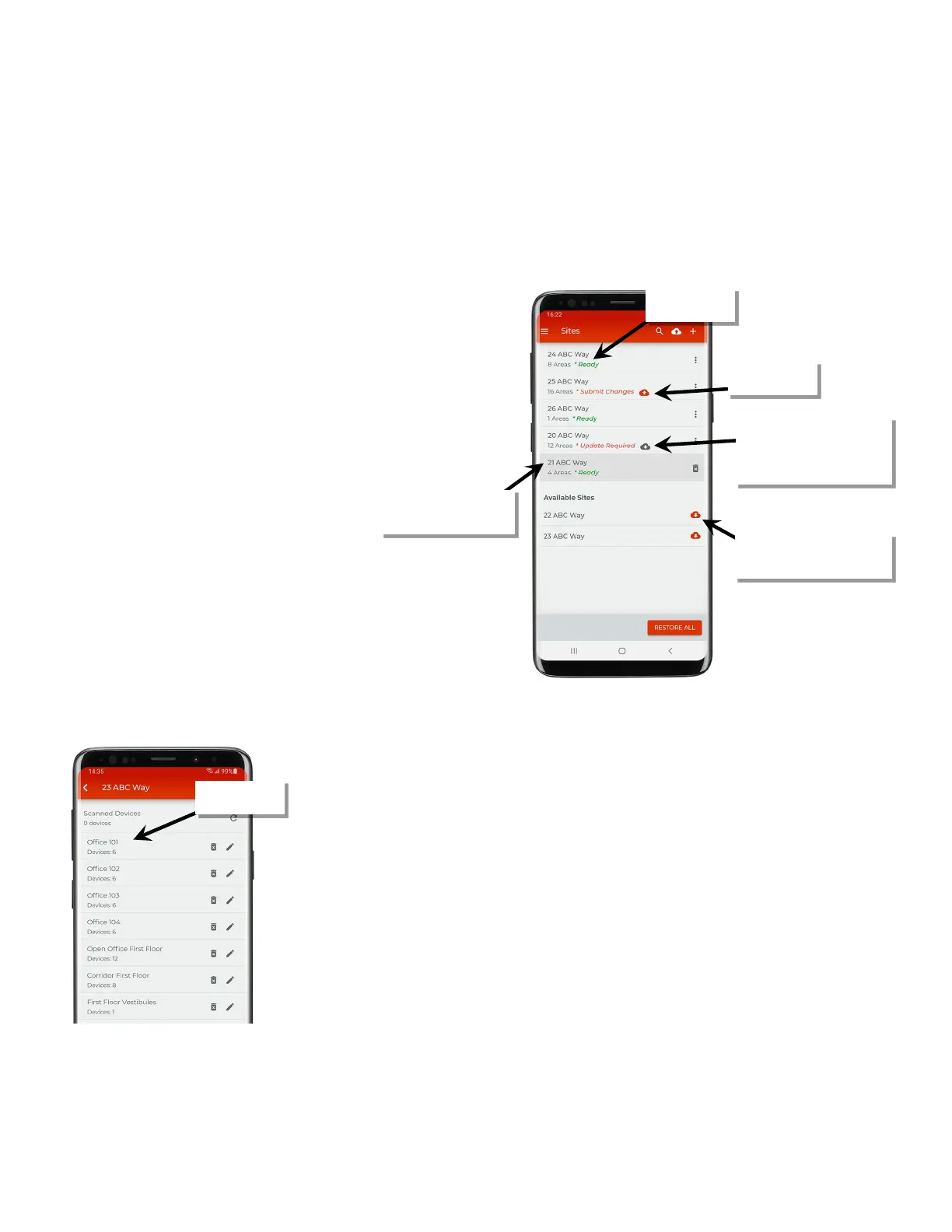
Understand WaveLinx Lite Mobile Application Organization
Before setting up a site, it is important to understand the basic site organization and terminology in the WaveLinx Lite Mobile App as well as the
typical application layout. This section walks through these concepts.
WaveLinx Lite devices operate autonomously with default out-of-the-box programmed behavior once they are installed and powered. They will
work indefinitely in this mode unless they are programmed using the WaveLinx Lite Mobile App. This process is referred to as provisioning.
During provisioning, devices are assigned to a specific site’s areas and zones depending on the desired operation.
Site
Each facility administered by the WaveLinx Lite App is
created as a unique site with a unique name. There is
no limit on the number of sites that one us
er can
create. Large projects with more than 28 areas may
require the creation of more than one site for that one
facility.
a local copy is created on the
mobile app and then pushed to a copy on
storage. The Wav
eLinx Lite App will compare the
local site data to the data on the cloud storage to
ensure that site data is kept in sync.
he local site data can be manually pushed to the
when desired, such as when the site
programming is completed, or pulled down from the
cloud, such as when changes have been made on a
different device (not recommended).
Site ownership can be transferred so that facility owner
can take over the site’s pro
gramming after the setup is
Area
Select a site to view the site’s areas. During provisioning, each device is assigned to an area. One site can contain up to 28 areas.
with mobile device
Site ownership that has been
transferred to another
registered user
Site data is in the cloud but database
has not been restored to the local
mobile device.
pushed to cloud
Cloud site has changes that may not
appear on the local mobile device.
Sync to update the local database on
the device before making any
changes



 To Next Page