User Manual: WaveLinx Lite (4.0)
99
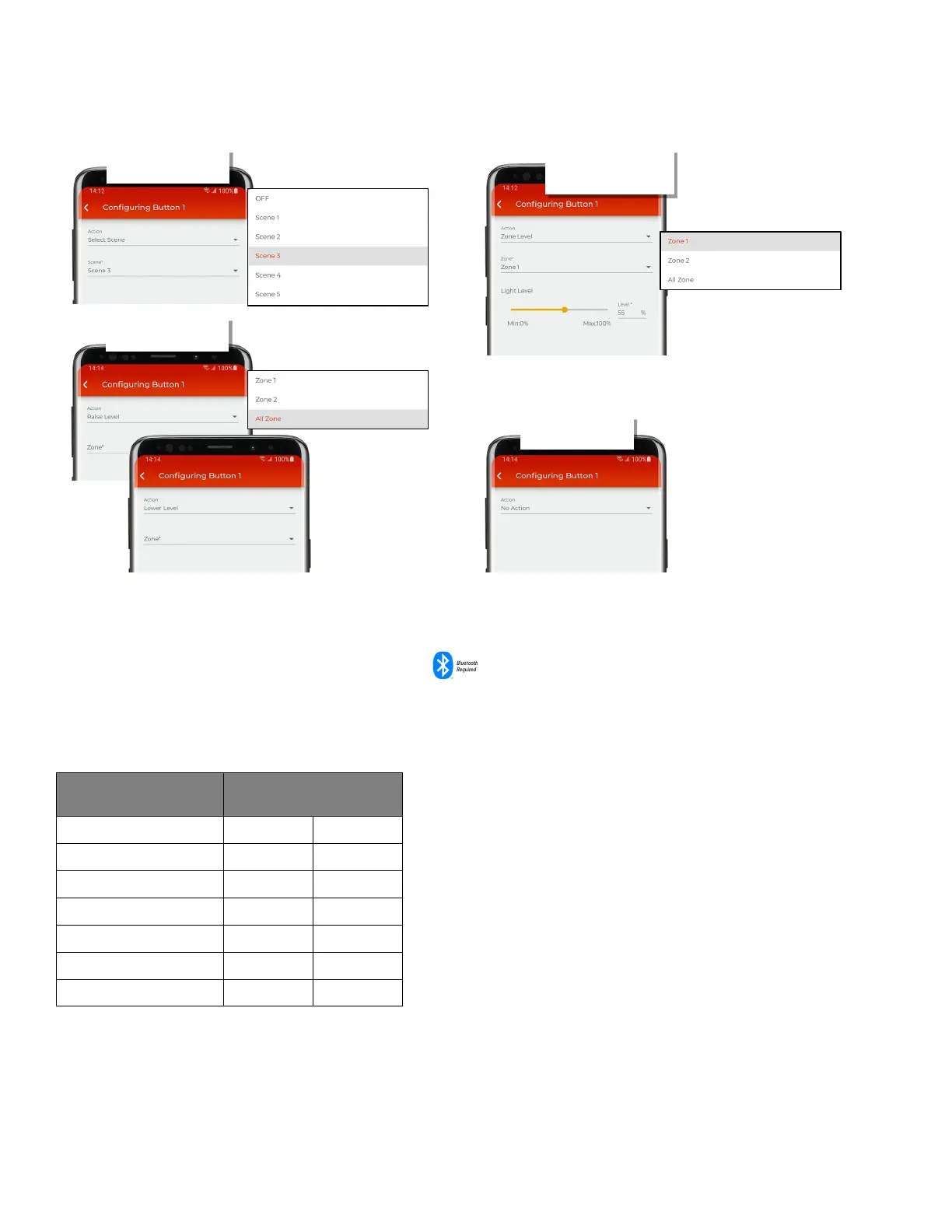
7. Use the action dropdown to select the desired action and then define the parameters required for that action. Parameters will change based
on action type selected.
8: Tap ‘Save’ to send the changes to the wallstation.
9: Repeat as needed for additional wallstation buttons and wallstations.
Modify Scene Light Levels in Networked Areas
The WaveLinx Lite system allows for seven scenes per networked area. Standalone areas do not use scenes. In WaveLinx Lite (4.0), scenes can
be issued by wallstation buttons or by the system administrator from the WaveLinx Lite Mobile Application.
The initial scene behavior of a networked area is dependent on the template used when the area was first created. If a custom template was
used, the zones will follow the scene levels defined in the template. If the area was created with the default network area template, the default
zone levels for the scenes are:
Scene Light Level Response
The scene defaults for Scenes 1 through Scene 6 can be modified to respond in a different manner. The OFF scene cannot be modified.
Internet connection is not needed to modify scenes but connection to the WaveLinx Lite device/network is required. The mobile device will
need to be in range and as close as possible (within 60 feet) to one of the line voltage powered WaveLinx Lite devices that belongs to the same
area.
• Choose scene command
• Select zone or all zones
• Define light level
• No parameters
• Select zone or all zones



 To Next Page