Cyan Z-Series Engineering and Planning Guide Release 5.0
Page 182 © 2013 Cyan, Inc. – All Rights Reserved. 700-0023-05-00 Rev. 1
Note: For instructions on provisioning OSPF routing and proxy ARP using Planet Operate, see
the
Planet Operate User Guide
.
This section also describes Cyan recommended configuration options based on the physical connection of
the Cyan nodes.
Based on the physical connectivity of Cyan nodes and the Planet Operate server, Cyan networks can be
divided into two classes:
• Single Physical LAN starting on page 182
• Multiple Physical LANs starting on page 185
Based on the physical location of the Planet Operate server in relationship to the Cyan gateway node,
configurations are divided into two classes:
• Collocated Planet Operate server
A Planet Operate server is referred to as "collocated" if the Planet Operate server and one of the
Cyan gateway nodes share the same physical LAN and there is no third-party device between the
Planet Operate server and the Cyan gateway node.
• Non-collocated Planet Operate server
A Planet Operate server is referred to as "non-collocated" if the Planet Operate server and the Cyan
gateway node do not share the same physical LAN and there is a third-party device (for example, a
router) between the Planet Operate server and the Cyan gateway node.
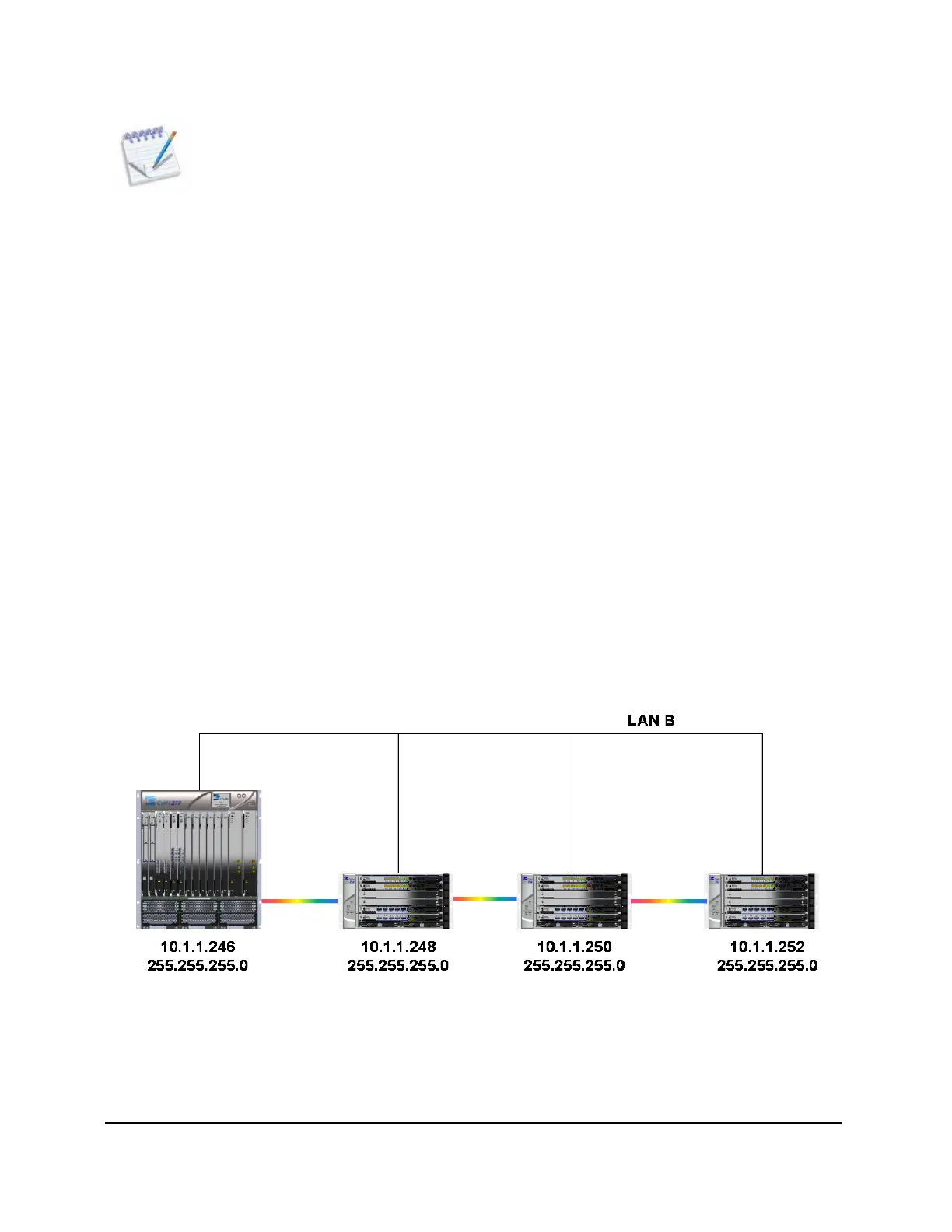
6.1 Single Physical LAN
In this network configuration example all of the Cyan nodes share the same physical LAN as shown in the
following diagram.
Figure 99: Single Physical LAN Example
In this type of network configuration, Cyan recommends that all Cyan nodes have their IP addresses
assigned from the same IP sub-network.



 To Next Page