User’s Manual EM11A015B
intelligent Touch Manager
225
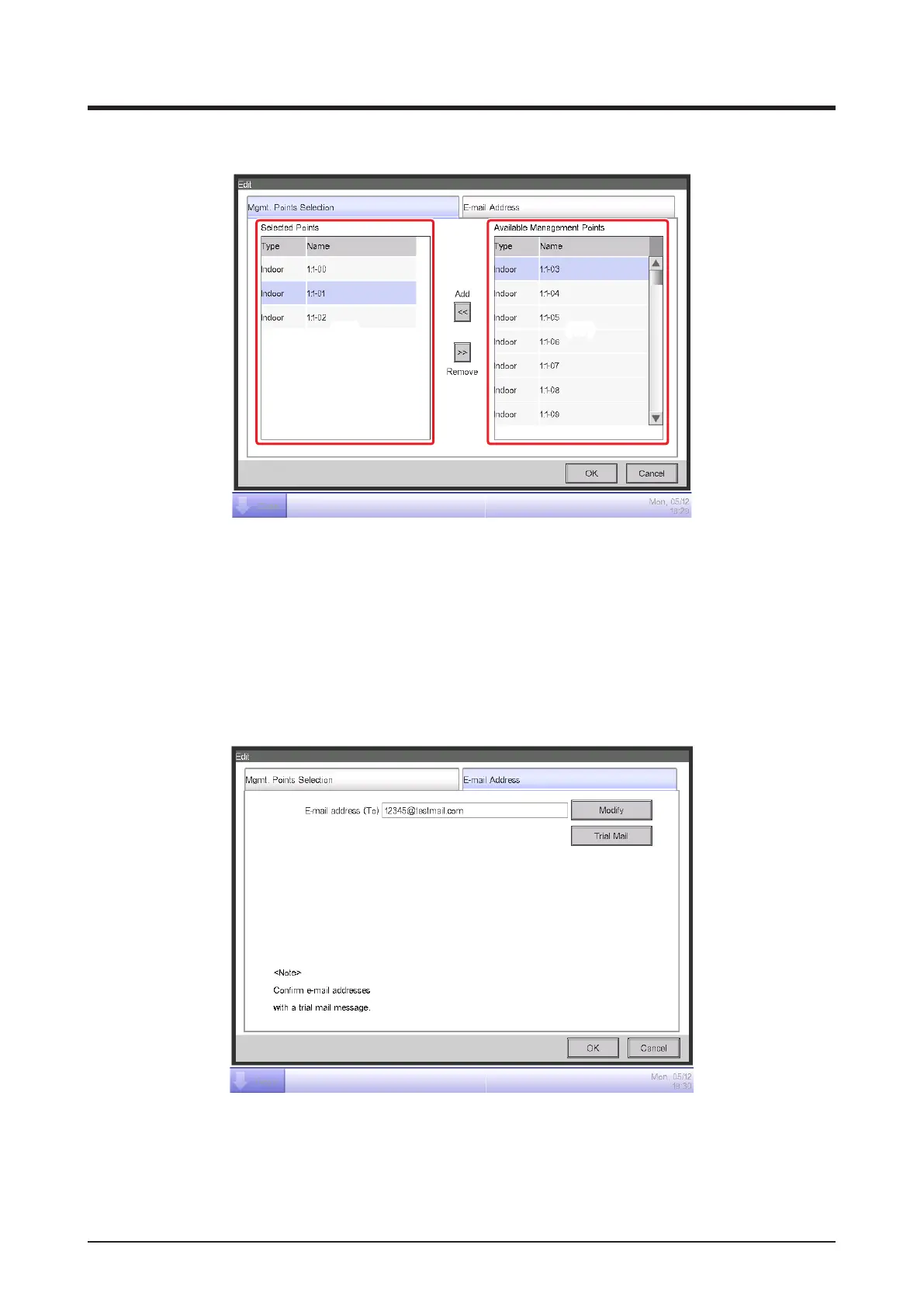
• Mgmt. Points Selection Tab
(16) (17)
(16) is the list of management points registered as the target of error monitoring while (17) is the
list of management points that can be registered. To register, select a management point that will
be target of monitoring from (17) and touch the Add button. You can register up to 512
management points. Selecting a management point from (16) and touching the Remove button
cancels its registration.
• E-mail Address Tab
(18)
(19)
(18) is the current E-mail address. To change, touch the Modify button and enter the E-mail
address in the E-mail Address Setup dialog that appears.
Touching the Trial Mail button (19) displays he Trial Mail dialog.



 To Next Page