User’s Manual EM11A015B
intelligent Touch Manager
297
■
Starting/stopping air conditioners is not possible from the Standard View screen.
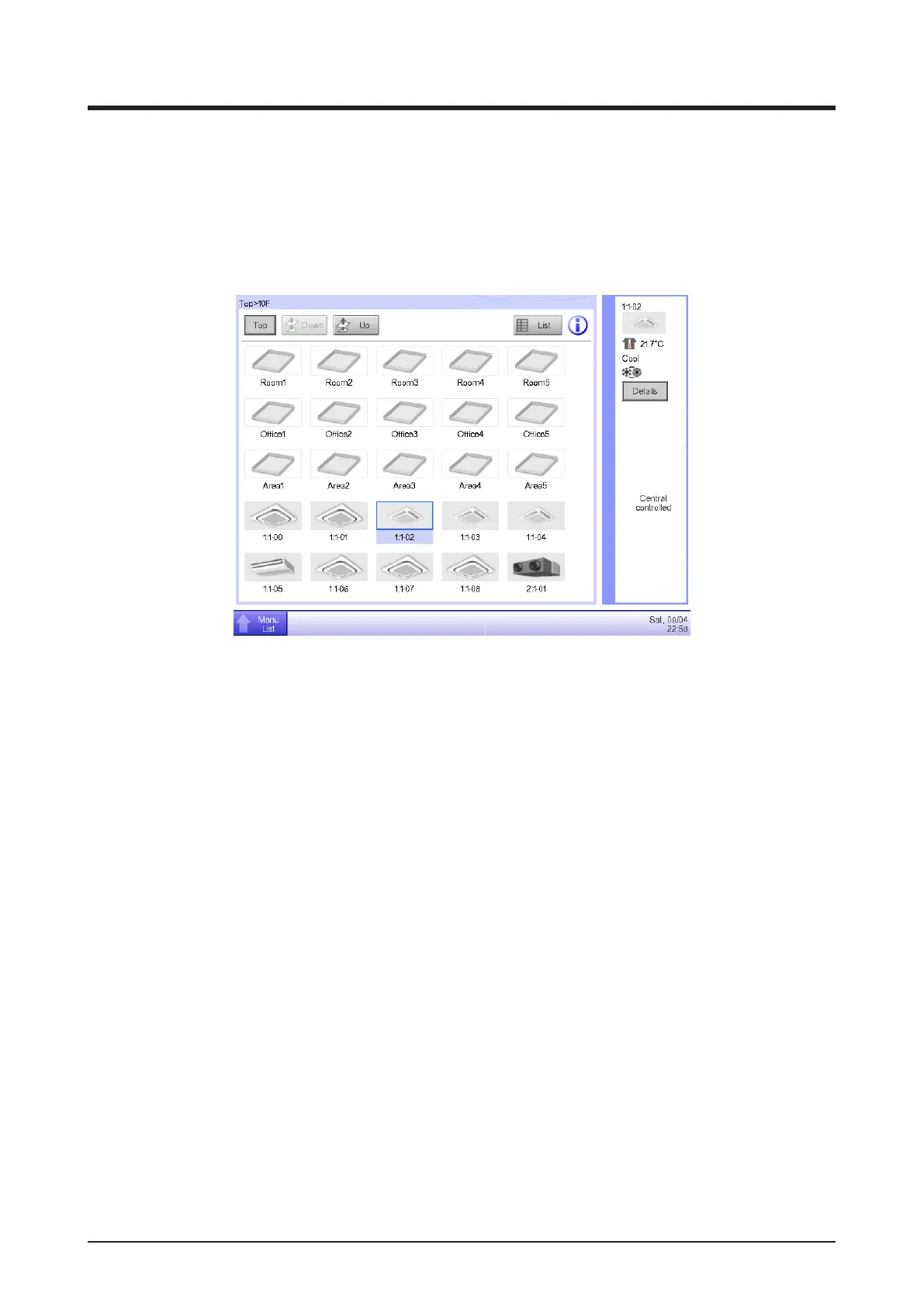
• Check the monitoring screen for the “Central controlled” sign, as shown in the gure below.
When “Central controlled” is displayed, the iTM only performs monitoring if it is instructed by a
higher-level central device (Interface for use in BACnet etc.) to put priority on it by stopping the
central control of lower-level equipment.
<Regarding the operation of Chiller management points>
■
Cautions when monitoring/setting up a Chiller
• A Chiller management point can read and write the specific objects on a MicroTech III
controller (POL687.70/MCQ) which is embedded in a Chiller via BACnet/IP connection.
On that basis, the total operation of a Chiller unit (or a Chiller plant interlocking pumps and
others) from intelligent Touch Manager should be ensured by mechanical the installers and
control engineering rms.
■
The Warning Alarm for Chiller management points does not display any error.
• The Warning Alarm for Chiller management points does not display any error. However, you
can check the Detailed Information screen for error codes.



 To Next Page