User’s Manual EM11A015B
intelligent Touch Manager
71
3. Setting up the target
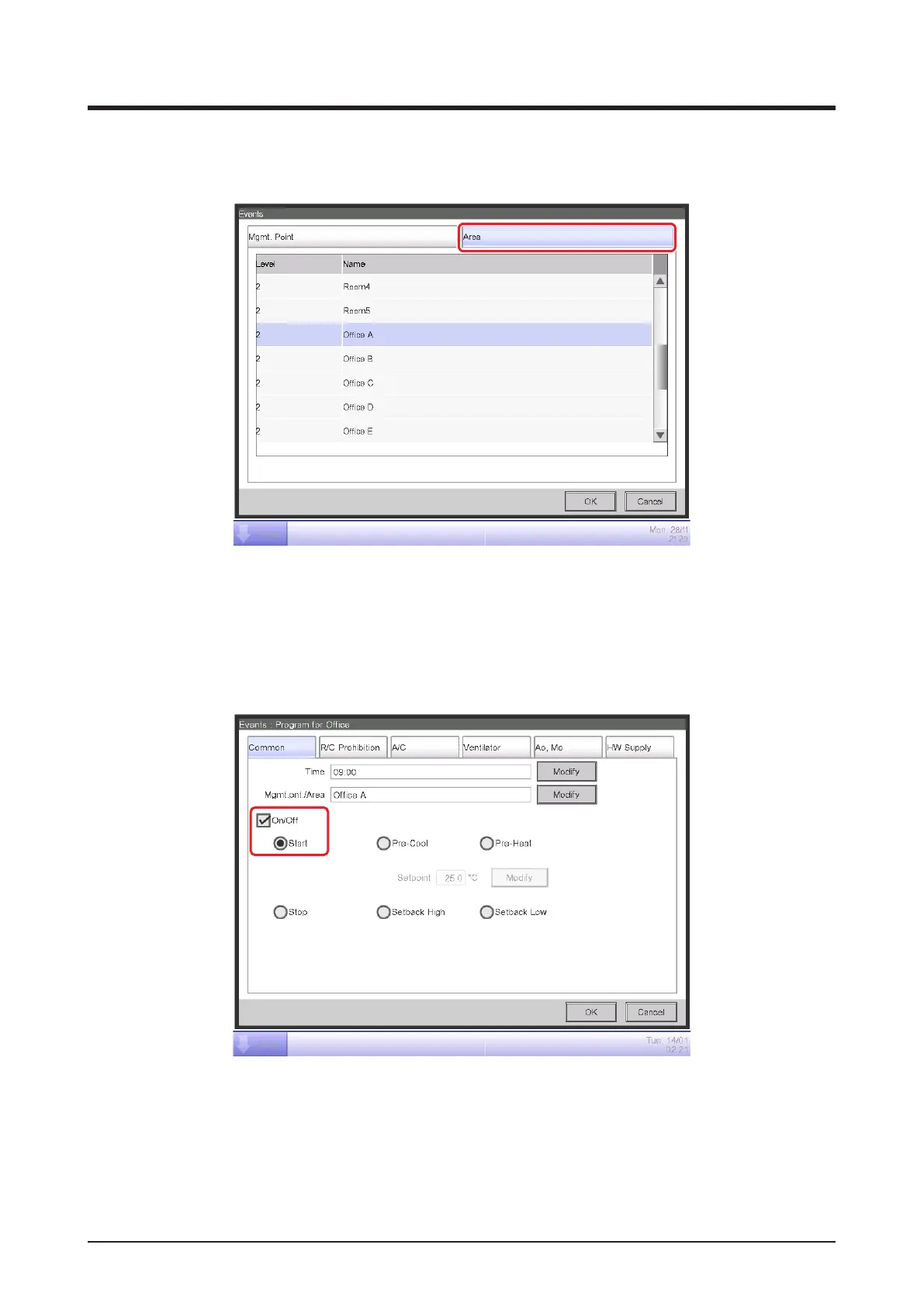
Touch the Modify button (7) to display the Mgmt. Point/Area screen.
The Mgmt. Point/Area screen consists of two tabs: Mgmt. Point and Area.
Touch and display the Area tab. Select “Office A” from the list, and touch the OK button to
return. For the procedure for creating areas, see “6-1 Setting up an Area”.
4. Setting up the operation mode and setpoint
(8)
Select the On/Off check box (8) and then, the Start radio button.
To set up the operation mode and setpoint, touch and display the A/C tab.



 To Next Page