User’s Manual EM11A015B
intelligent Touch Manager
72
(9)
(10)
(11)
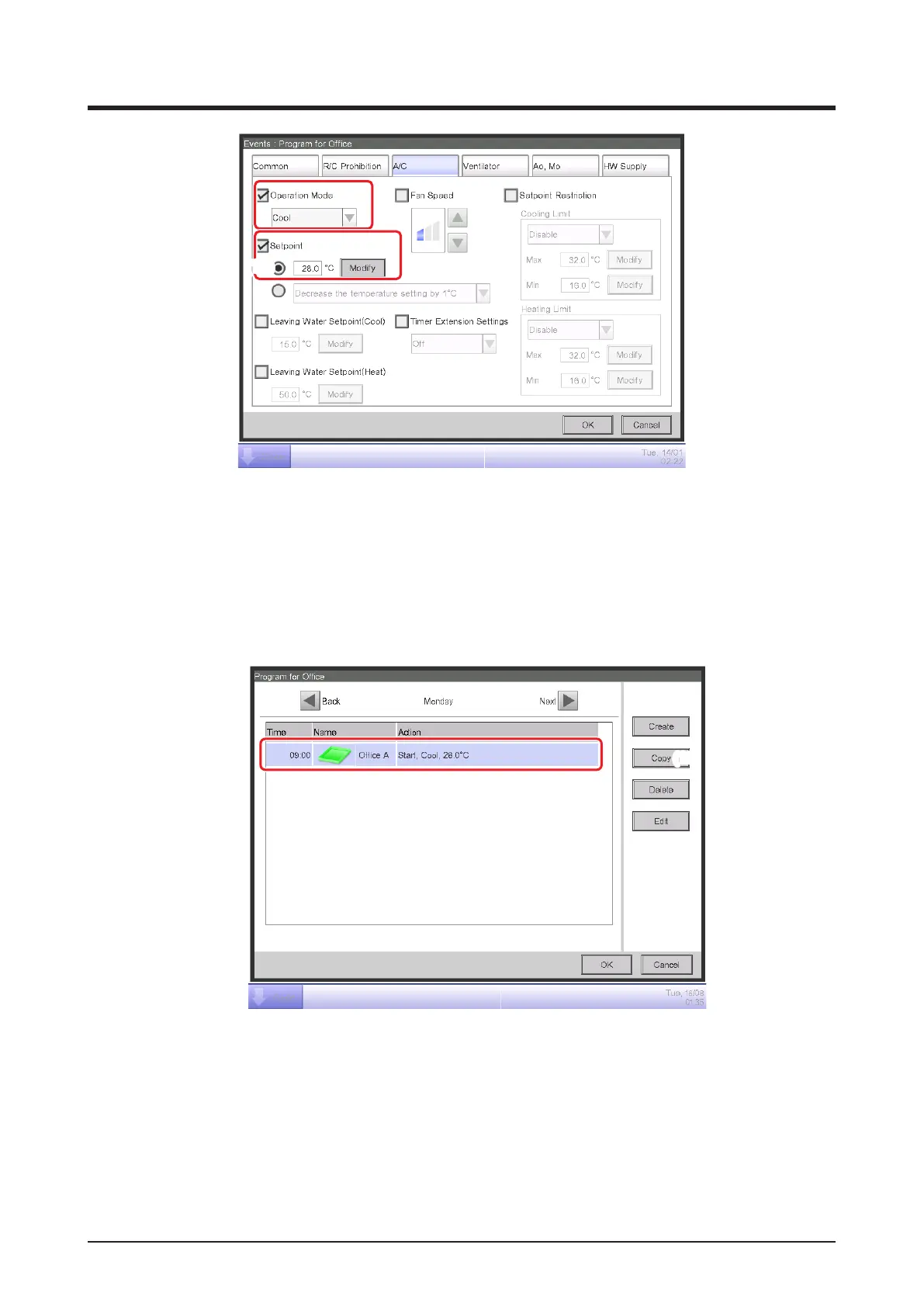
Select the Operation Mode check box (9) and then, “Cool” from the combo box.
Select the Setpoint check box (10) and then, the Setpoint radio button (11). Touch the Modify
button. Enter “28” in the Numerical Input dialog and touch the OK button to return to the A/C
tab (Events screen).
Touch the OK button and return to the Event List screen.
(12)
The set up event details appears in the list.
The step above nishes the setup of the event: Start cooling Ofce A to setpoint 28°C from
9:00 on Monday.



 To Next Page