User’s Manual EM11A015B
intelligent Touch Manager
76
• Creating the Schedule for Special Days
Set up the schedule only for the 3rd Saturday of every month (special day).
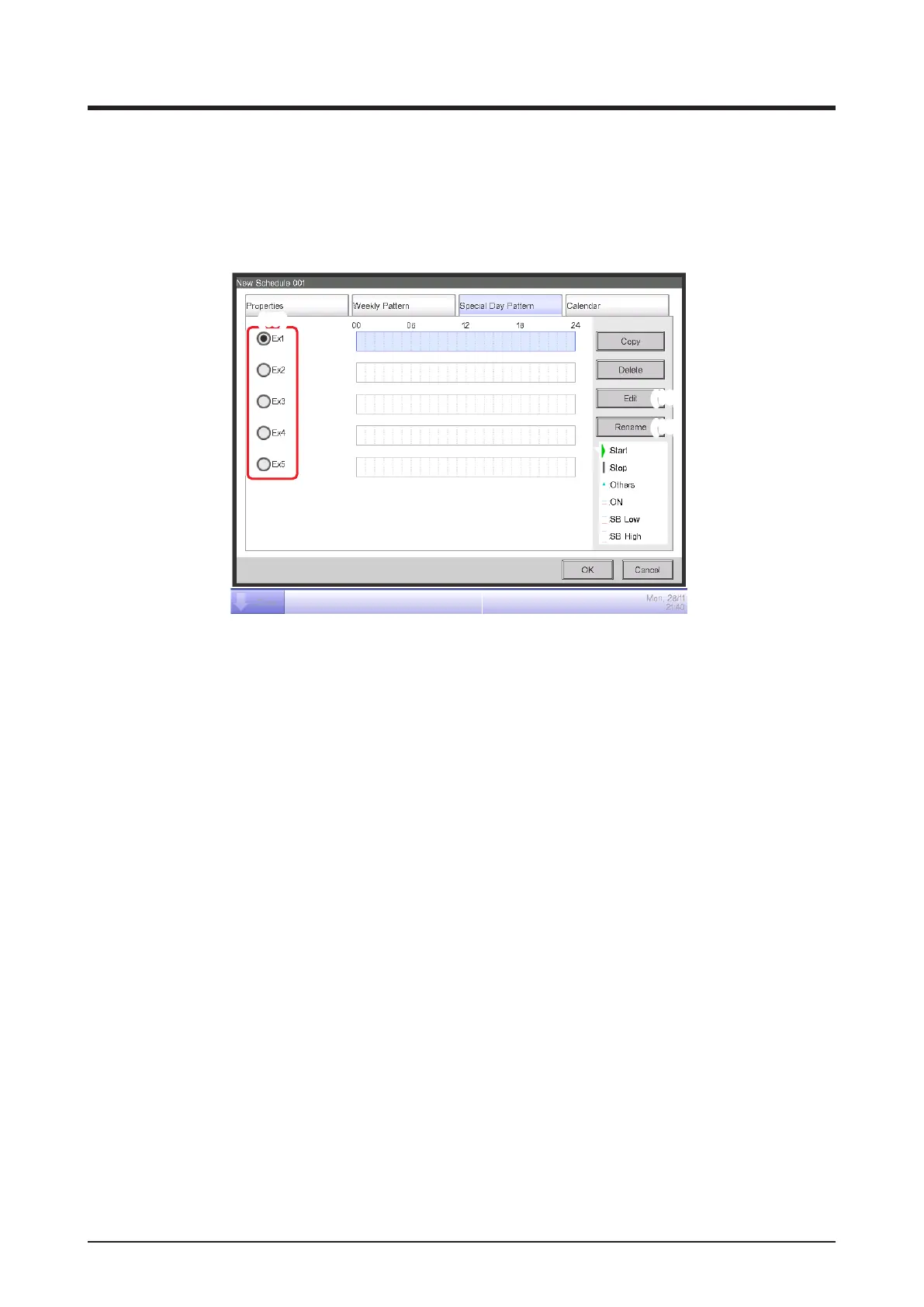
Touch the Special Day Pattern tab on the Schedule Edit screen.
1. Setting up the name of the special day
(17)
(19)
(18)
Select Ex1 in (17). Touch the Rename button (18) to display the Name Input dialog.
Enter “Working day” for name and touch the OK button to rename the special day.
2. Setting up the operation start/stop times, operation mode, and setpoint
Touch the Edit button (19) and set up the event details.
Follow the same procedure as for creating the weekly schedule and set up the schedule for
“cooling Ofce A area to setpoint 28°C from 9:00 to 18:00”.
3. Setting up the Special Day (3rd Saturday of every month) in the Calendar
Touch the Calendar tab on the Schedule Edit screen.



 To Next Page