User’s Manual EM11A015B
intelligent Touch Manager
77
(22)
(23)
(20)
(21)
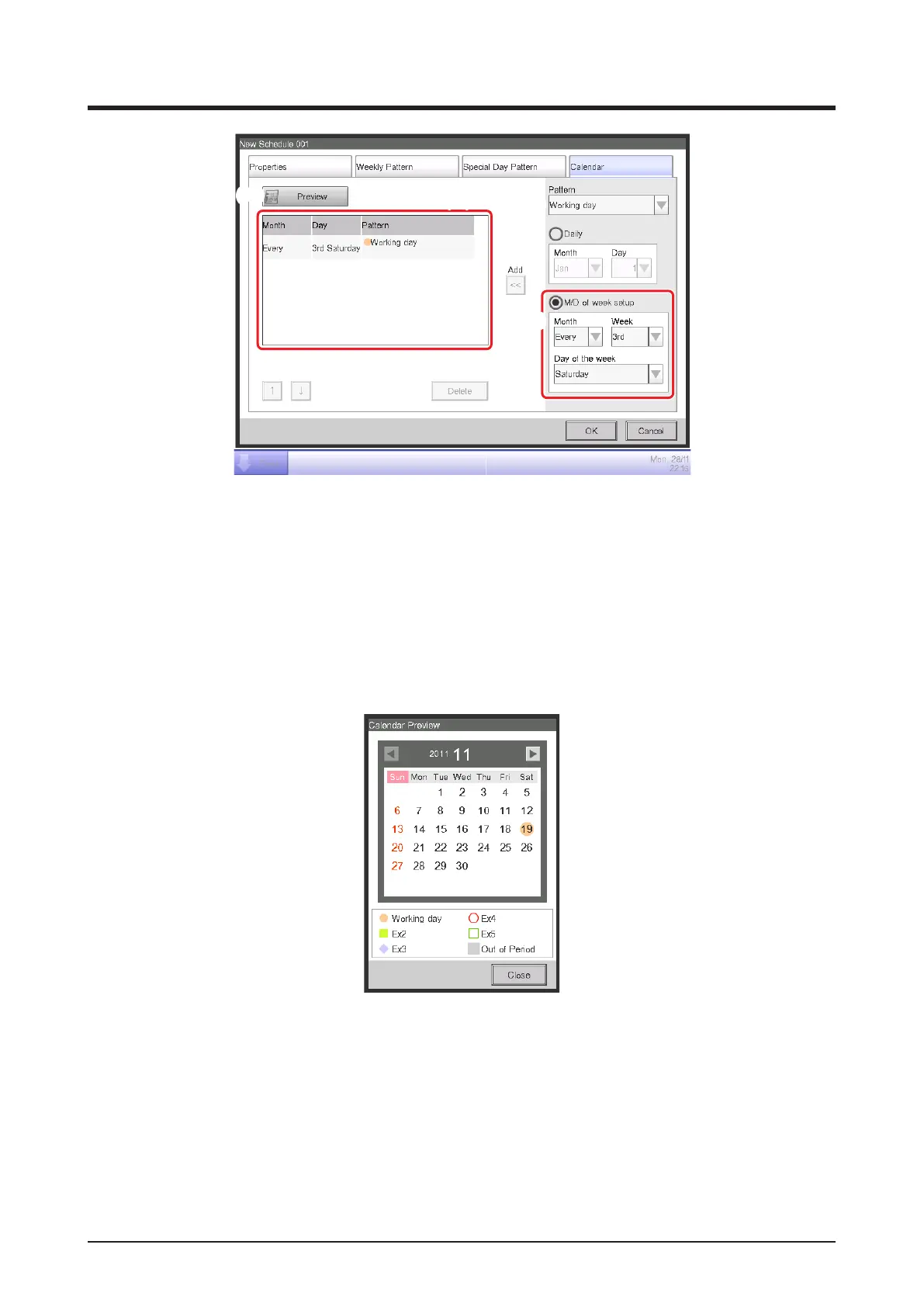
Select the created “Working day” from the Pattern combo box (20).
Select the M/D of week setup radio button (21) and select the day to set up in the combo box.
To set “3rd Saturday of every month”, select as follows:
Month: Every Week: 3rd Day of the week: Saturday
Touch the Add button to register the special day pattern. It appears in (22).
To preview the calendar with the special day pattern, touch the Preview button (23).
Touch the Close button and return to the Schedule Edit screen.
The step above finishes the creation of the special day schedule: Cool Office A area to
setpoint 28°C from 9:00 to 18:00 on the 3rd Saturday of every month.
The “Program for Ofce” is now nished since both the weekly and special day schedules
have been created.



 To Next Page