User’s Manual EM11A015B
intelligent Touch Manager
83
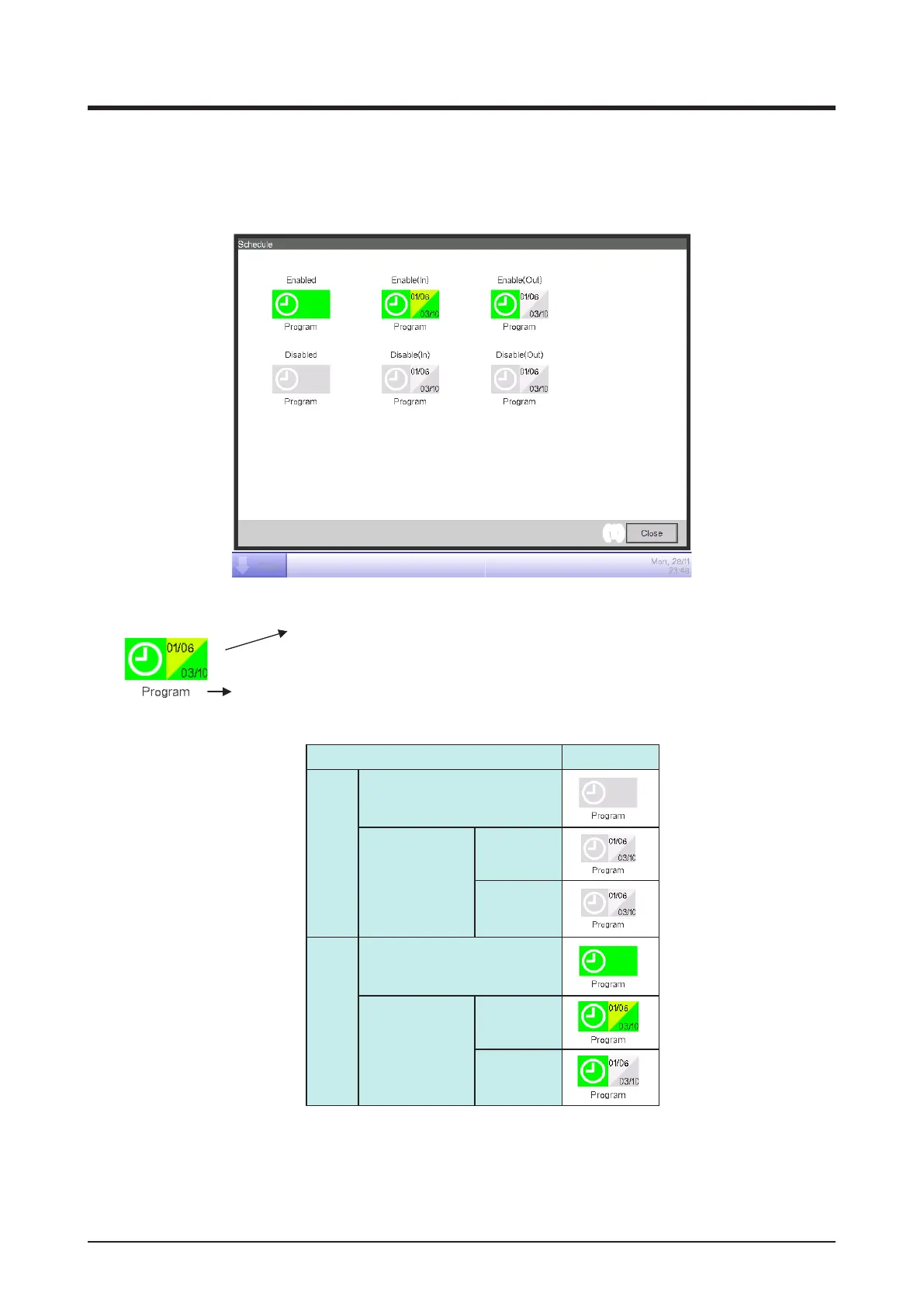
• Legend Screen
This screen is displayed when you touch the Information button on the Schedule screen. It
displays the legend for icons available in the Schedule screen (Icon view).
(1)
<Icon>
<Displayed information>
• Icon of scheduled program
• Validity period of scheduled program (Upper Left: Start date,
Lower right: End date).
Name
Icon type
Disabled Without validity period
With validity period Within validity
period
Out of validity
period
Enabled Without validity period
With validity period Within validity
period
Out of validity
period
Displays legends for the Icon view.
(1) Close button
Closes the screen.



 To Next Page