ECHO Series Ultrasonic Thickness Gages
23
If you want to exit this screen press either the F1 – Exit key or F3 – No key to
take no action and return to Home screen.
2. Press the F2 – Yes key to perform a Parameter reset.
After performing a Parameter Reset, the Home screen appears automatically.
Database/Parameter Reset
Performing a Database/Parameter Reset clears all the files in the database and keeps the
first three Linear, Row Increment and Col Increment database files with cleared readings.
All of the user created files in the database will be deleted and the default parameters will
be restored at the same time. This selection is the equivalent of performing MASTER
RESET on the instrument, restoring original factory setting. To perform a
Database/Parameter Reset, follow these steps:
1. From the Home screen, press the F1 – Reset key. The Reset screen appears.
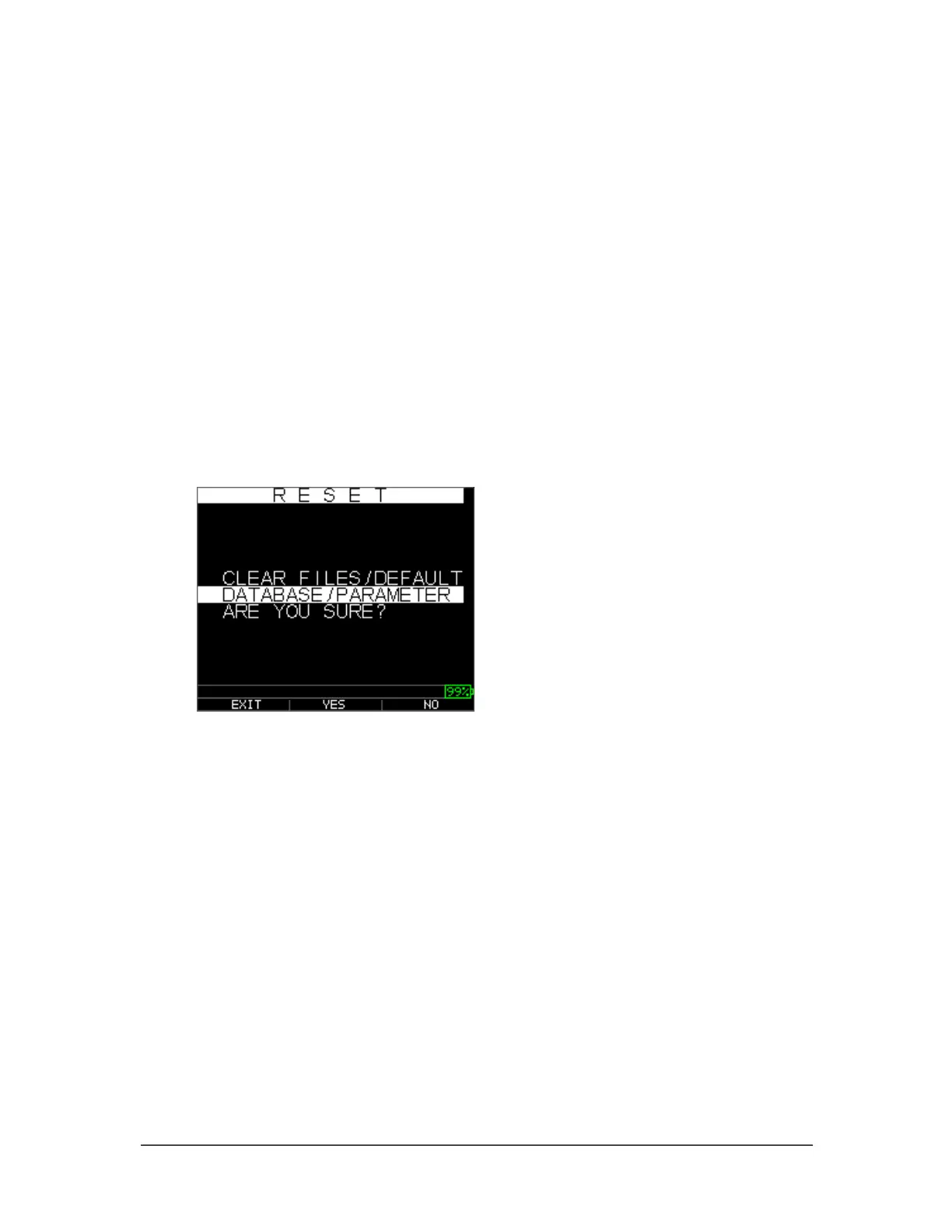
Select the Database option and press the OK key. The following screen appears:
2. If you want to exit this screen press either the F1 – Exit key or F3 – No key to
take no action and return to Home screen.
3. Press the F2 – Yes key to perform a Database/Parameter reset.
After performing a Database/Parameter Reset, the Home screen appears
automatically.
About Screen
You can find out information about your ECHO series thickness gage, such as the model
number, version number, and contact information from the gage’s About screen. To go to
the About Screen, follow these steps:
1. From the Home screen, press the F2 – Reset key. The Reset screen appears:



 To Next Page