ECHO Series Ultrasonic Thickness Gages
85
10 Software Options for the ECHO 9 Series
Datalogger with B-scan
The B-scan represents a cross sectional view on the test piece. The simplest example is to
show a 5-step test block. To turn on the option B-scan for EHC-09 series press the
MENU/OK key, go to Measurement, find B-scan and press the MENU/OK key. First
enter the maximum thickness you expect to scan using the up, down, left and right keys,
then turn on the B-scan scrolling down and right arrow (left arrow for off). Press F3 in
lefty or F1 in Righty mode when done. The bottom of the display will read SAVE,
START or STOP and CLEAR. To Start a B-scan, couple to the test block and press the
F2 – Start key. If you uncouple the transducer, B-scan will stop due to LOS. If you press
the F2 – Stop key, the minimum thickness will be displayed in the center of the screen
while a vertical cursor allows you to review readings. During review the thickness value
is updated in the top right of the display. To save all the readings, press the F1 – Save
key. The amount of saved readings up to the file size of 5,000 readings or what was pre-
determined in the current file (See Datalogger) set up.
Saving a B-scan to Memory
When saving images to a B-scan file, first set up a file name, save as a linear file and
Thickness only…Thickness only is very important as one B-scan screen represents
approximately 200 data points and a thickness and waveform file would be full before
one B-scan full screen is complete. Press Done, press the F2 – Start key, and the F1 –
Save key. You can now press the MENU/OK key, scroll to Datalogger, choose the B-
scan file to review, the MENU/OK key, Review, the MENU/OK key, scroll over where
an id and reading are present, and press the MENU/OK key. The B-scan will appear. F2
will center the minimum (min) in the middle of the screen. F3 will show either Beg or
End to go to the beginning or end of file. You can also use the left or right keys to move
the cursor (triangle) to show the thickness in the top right above the triangle.
Encoded B-scan
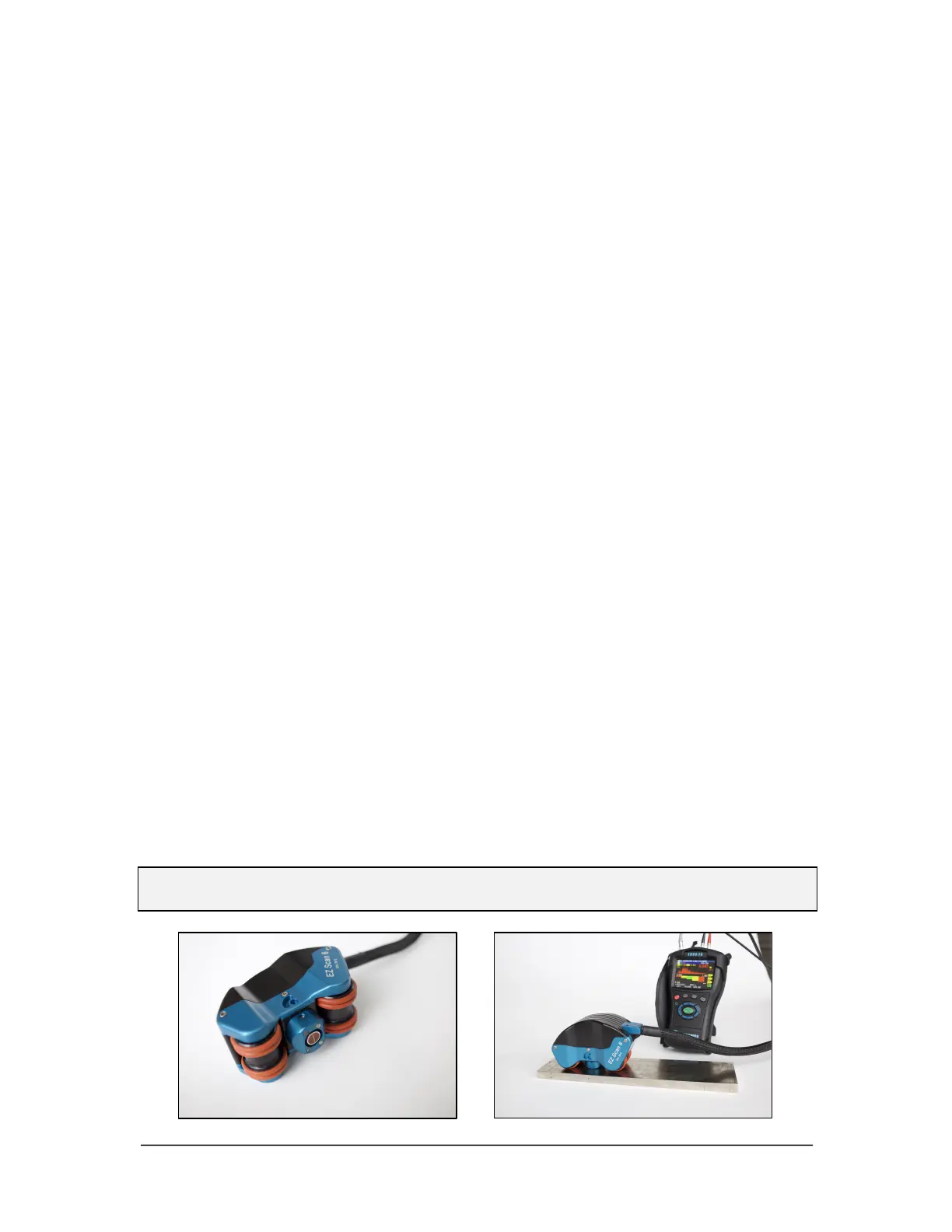
The ECHO 9 Series and the Flaw Detector can be equipped with the EZ Scan 6, which is
a magnetic wheel linear axis encoder with high temperature and pole attachment options.
The encoded B-scan is not available for the Precision Gage. (For more details on the EZ
Scan 6, please refer to its separate manual.)
Note: Use of the encoded B-scan requires a new hardware jack, not initially supplied
with your Echo unless otherwise ordered. Also, the extra connector is NOT IP67 rated.



 To Next Page