Danatronics, Corp.
76
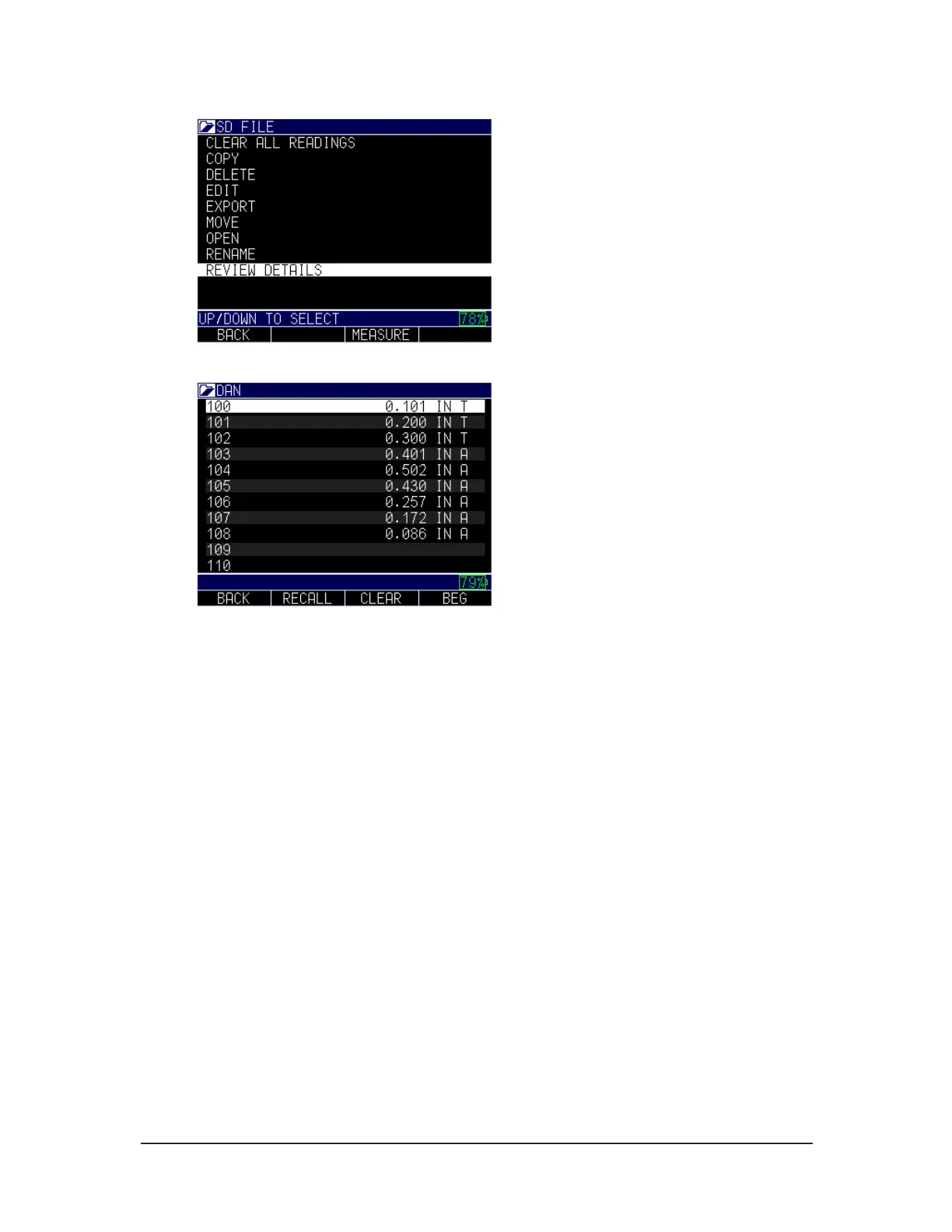
4. Use the up and down arrows to review the file details.
If there is an A in the right of the file (as shown in the image above) that means A-scan is
saved, or if there is a T that means there is a Thickness. You can scroll down to any of
them then press the MENU/OK key and the recalled reading in that location will appear
on the screen. Use the left or right arrow to quickly scroll to the next stored value.
To clear a reading, highlight the reading to be cleared then press the F3 key for clear. A
prompt will appear: Are you sure. Press F2 for yes and F3 for no, or F1 for Exit.
If you clear a reading, or a series of readings, press the MENU/OK key over the reading
you would like to re-take and the ID will go back to the reading to be re-taken. The ID
will then advance to any open (cleared) readings until it gets to the next available ID in
the series to be taken. For example; if you clear readings 1 and 3 and the last reading in
the file is ID number 10, the sequence upon clearing readings 3 and 1, MENU/OK will
be reading 1 to re-take, skip over 2, and to 3 save, then ID number 11 as the next
available id.
B-scan
The Datalogger version of ECHO 9 (ECHO 9DL or ECHO 9DLW) comes standard with
the B-scan, which is a side view of the test piece being inspected. The B-scan is a great
visual tool to quickly and easily show a representation of wall thinning. The standard B-
scan is non-encoded, which means there is no correlation to the image relative to the test
piece. Danatronics offers the EZ Scan 4 as a hardware option, which is a magnetic wheel,
one axis encoder. When used with the ECHO 9DL or DLW, the image shows the



 To Next Page