ECHO Series Ultrasonic Thickness Gages
87
There are also “hot” keys above F2 for -6db, and F4 for -12db.
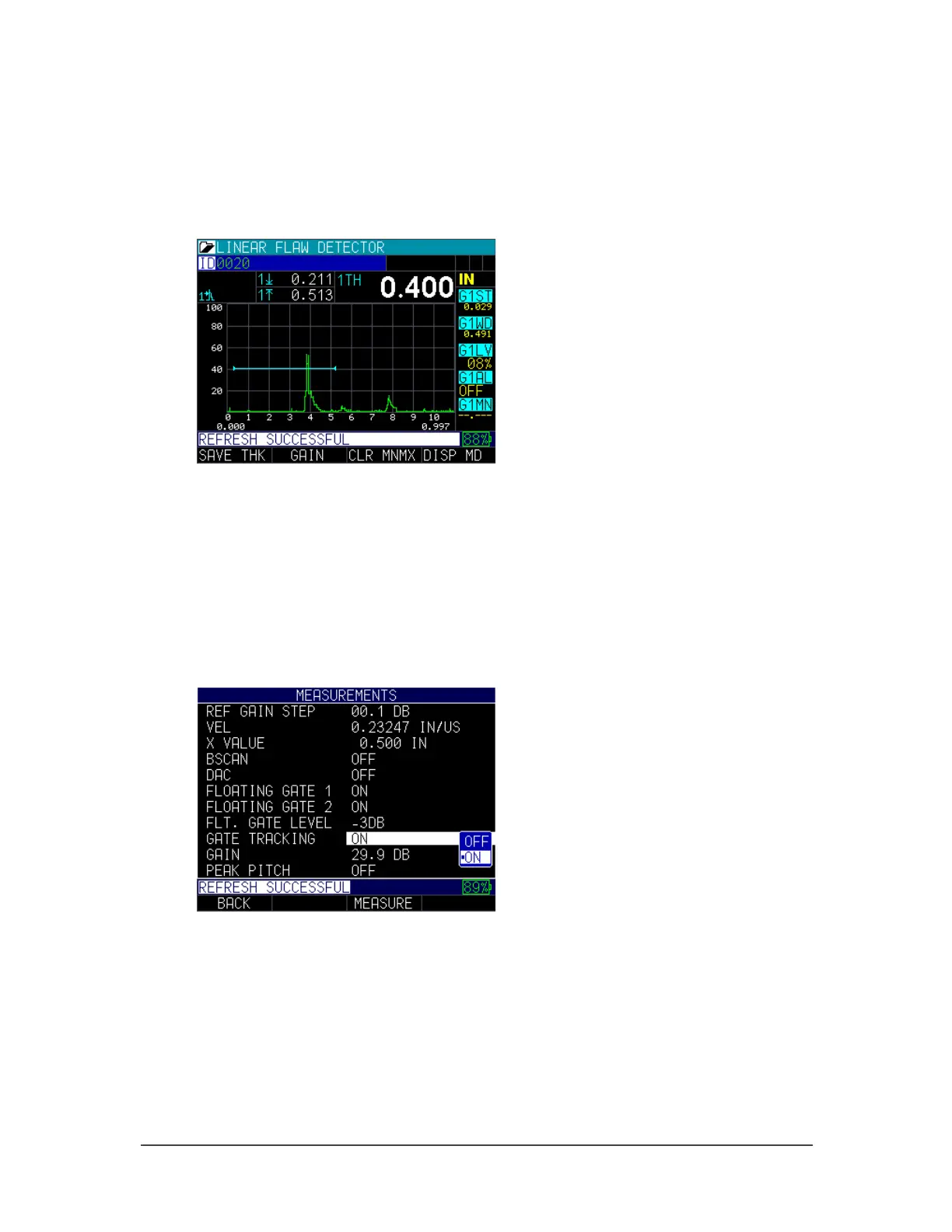
Press F3 to enter the Measurement screen. A gate floating at the -3db point of the peak
amplitude with edge depth set with a thickness of 0.400" is shown below. Note, you
cannot change to peak depth when the floating gate is activated, and the image below
does not capture the flashing letter “F” that appears on the top of Gate 1.
Tracking gate
The tracking gate is an optional feature is typically used in Echo-to-Echo thickness
measurements to ignore coatings.
To activate the tracking gate feature, follow these steps:
1. From the Home screen, press the F1 – Menu key.
2. Use the up and down arrow keys to select the Measurements Settings option.
3. Press the MENU/OK key.
4. Use the up and down arrow keys to select the Gate Tracking parameter.
5. Press F3 – Measure key to begin taking measurements.
In the example below, gate 1 start and gate 2 start have been set to 0.100". Gate 2 will
automatically track (shift left or right) 0.100" off the first detected echo within gate 1.



 To Next Page