Danatronics, Corp.
64
2. Press the F2 - Unfreeze key to disable Freeze mode.
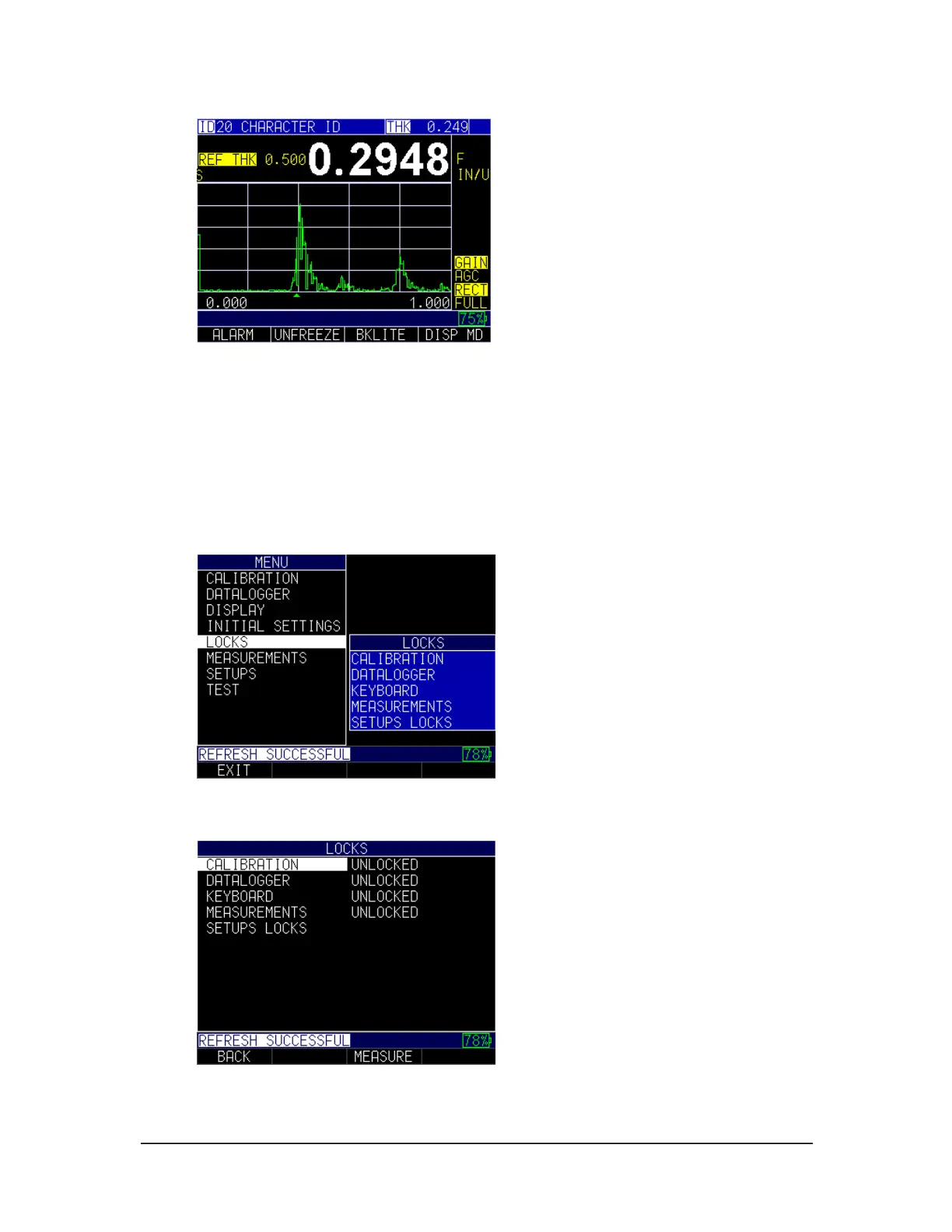
Advanced Locks
There are several types of advanced locks from which to choose. The available options
are ideal for supervisors or managers who need to protect settings from being changed by
other users. These advanced lock options are located in the main menu.
To use advanced Locks, follow these steps:
1. From the Home screen, press the F1 – Menu key. The Menu screen appears.
2. Use the up and down arrow keys to select the Locks option, and press the
MENU/OK key.
The following lock options are available:
• Calibration: Locks or unlocks calibration settings



 To Next Page