ECHO Series Ultrasonic Thickness Gages
7
the most recent version of Data XL, which is also available on the website to download at
no charge, and use the USB cable provided with the kit. Plug the cable into the USB port
on the top left of the ECHO and use the “Software Upgrade” tab to begin.
The following enhancements are included with the latest software for the ECHO 9 Series
(Version V1.15 or higher):
1. Coating Thickness
2. Temperature Correction
3. Stored Setups
4. Oxide Scale
Coating Thickness
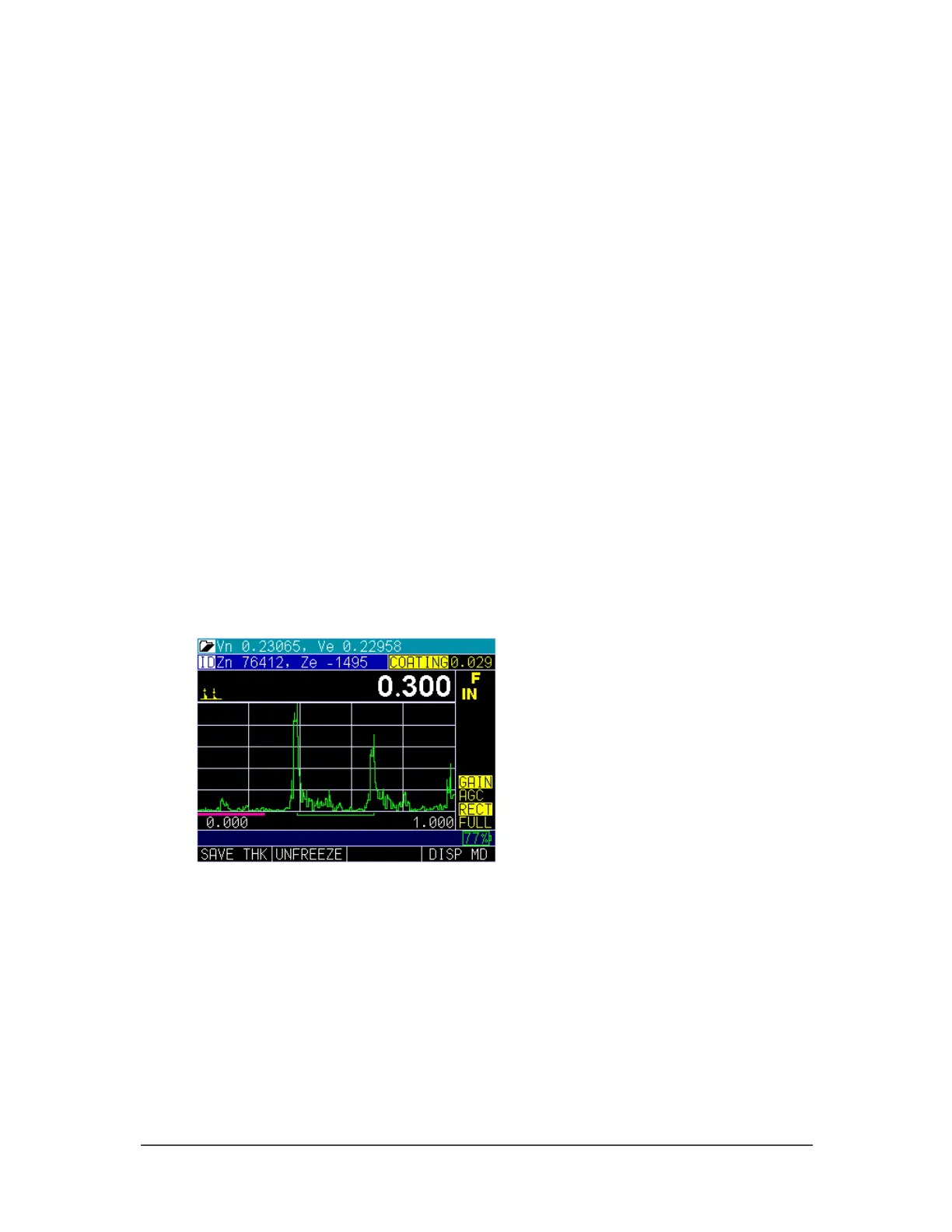
For any ECHO 9 equipped with the live Waveform (A-scan), both the coating thickness
and substrate thickness can be displayed at the same time. When the Coating option is
enabled through the Menu options, the Measurements and the Calibration screen will be
turned on. ECHO will prompt you to calibrate the thickness of the substrate first (without
the coating), and preform your normal 2-point calibration (described later in this manual).
Next, you must perform Cal Zero on the thin section and Cal Vel on the thick section
followed by pressing the OK button. ECHO will then prompt you to put on a coating of
the known thickness and press the F3 Vel key to adjust the coating thickness displayed in
yellow in the top right hand corner of the screen (shown in the image below). ECHO
calculates the sound speed of the coating and substrate independently. There is no need
for special dual transducers.
Temperature Correction
The Temperature Correction feature allows you to enter the calibrated temperature,
current temperature, and coefficient factor, which corrects for sound speed variations
between the calibrated temperature and current temperature.



 To Next Page