ECHO Series Ultrasonic Thickness Gages
55
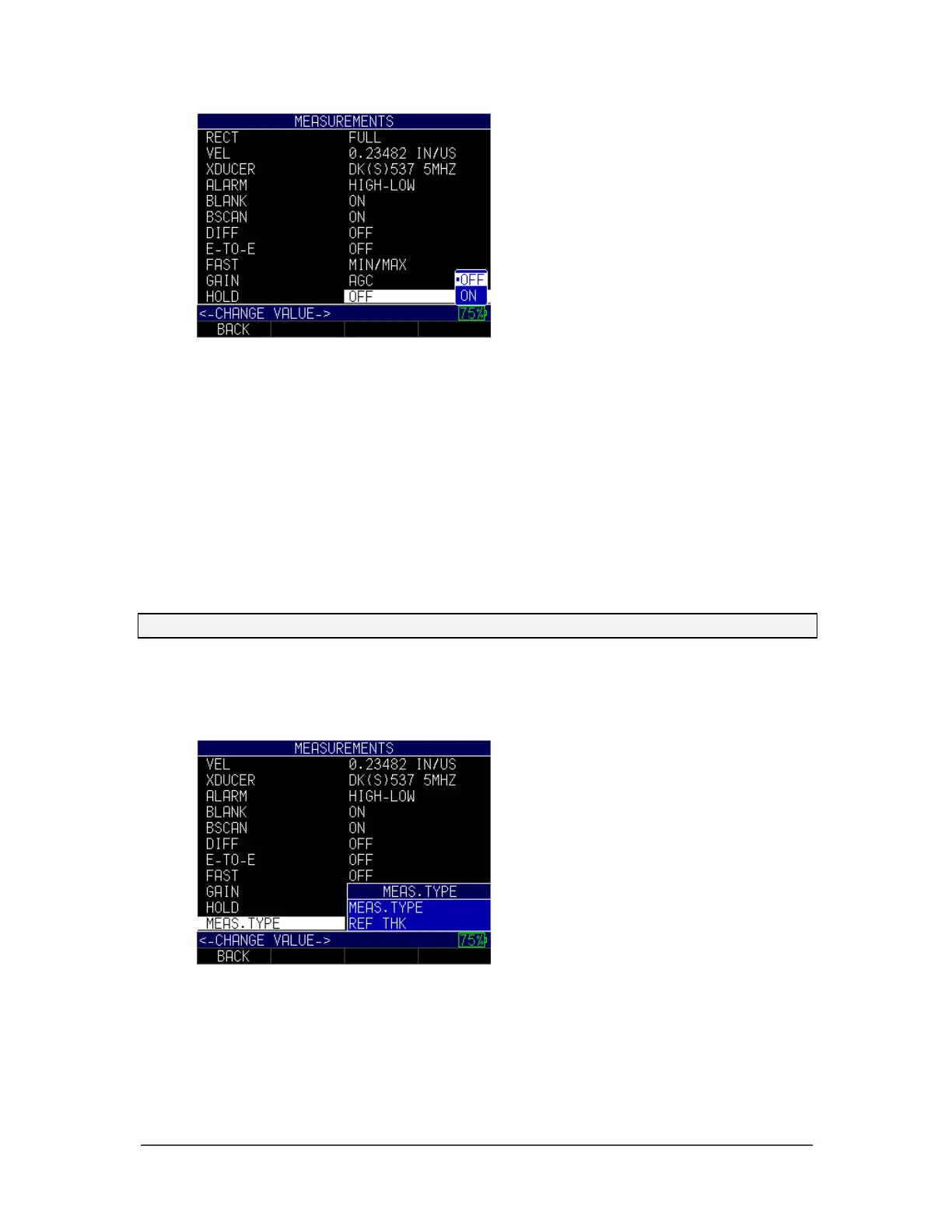
2. Use the up and down arrow keys to toggle between the following settings:
• Off: Disables the Hold feature, so the gage does not continue to display the
last measured thickness
• On: Enables the Hold feature, so the gage continues to display the last
measured thickness
3. When finished, press the F1 – Back key to exit the screen.
Measure Type
The Measure Type option allows you to choose between a material thickness
measurement or velocity measurement depending on your application.
Note: In order to use the Measure Type option, the Fast option must first be disabled.
To set the Measure Type option, follow these steps:
1. Use the up and down arrow keys to select the Meas. Type option and press the
MENU/OK key.
2. Use the up and down arrow keys to toggle between the following settings:
Meas. Type: Choose either the Thickness or Velocity setting. You must always
enter a reference thickness before you chose to select the Thickness option.
Likewise, you must always enter a velocity before your choose to select the
Velocity option.
Ref Thk: Choose between 0.01 IN – 20.00 IN.



 To Next Page