ECHO Series Ultrasonic Thickness Gages
37
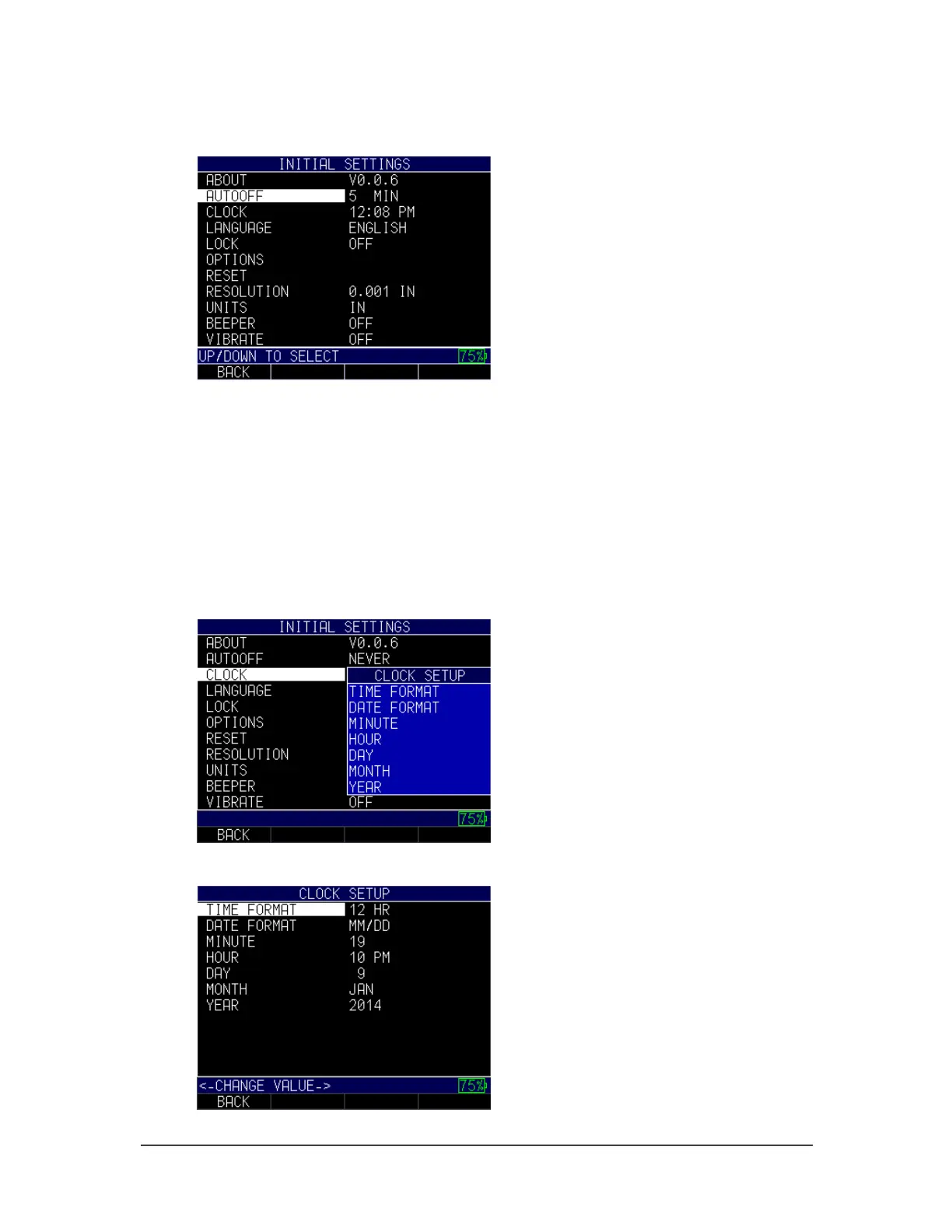
1. Use the up and down arrow keys to select the Auto Off option and press the
MENU/OK key.
2. Use the up and down arrow keys to scroll through the following settings.
• 1–31 minutes: The gage will turn off automatically between 1–31 minutes
• Never: The gage will never turn off automatically
3. When finished, press the F1 – Back key to exit the screen.
Clock
The gage has a real-time clock with several time and date formats in which to choose.
To change the clock parameters, follow these steps:
1. Use the up and down arrow keys to select the Clock option and press the
MENU/OK key.
2. Use the up and down arrow keys to change the settings in the Clock Setup screen
shown below:



 To Next Page