Danatronics, Corp.
38
3. Use the left and right arrow keys to change any of the following settings:
• Time Format: 12 hour or 24 hour
• Date Format: Day/Month (DD/MM) or Month/Day (MM/DD)
• Minute: Current minute (1–59)
• Hour: Current hour (12 hour: 1–12 AM/PM; 24 hour: 1–23)
• Day: Current day (1–31)
• Month: Current month (Jan.–Dec.)
• Year: Current year (2014–2025)
4. When finished, press the F1 – Back key to exit the screen.
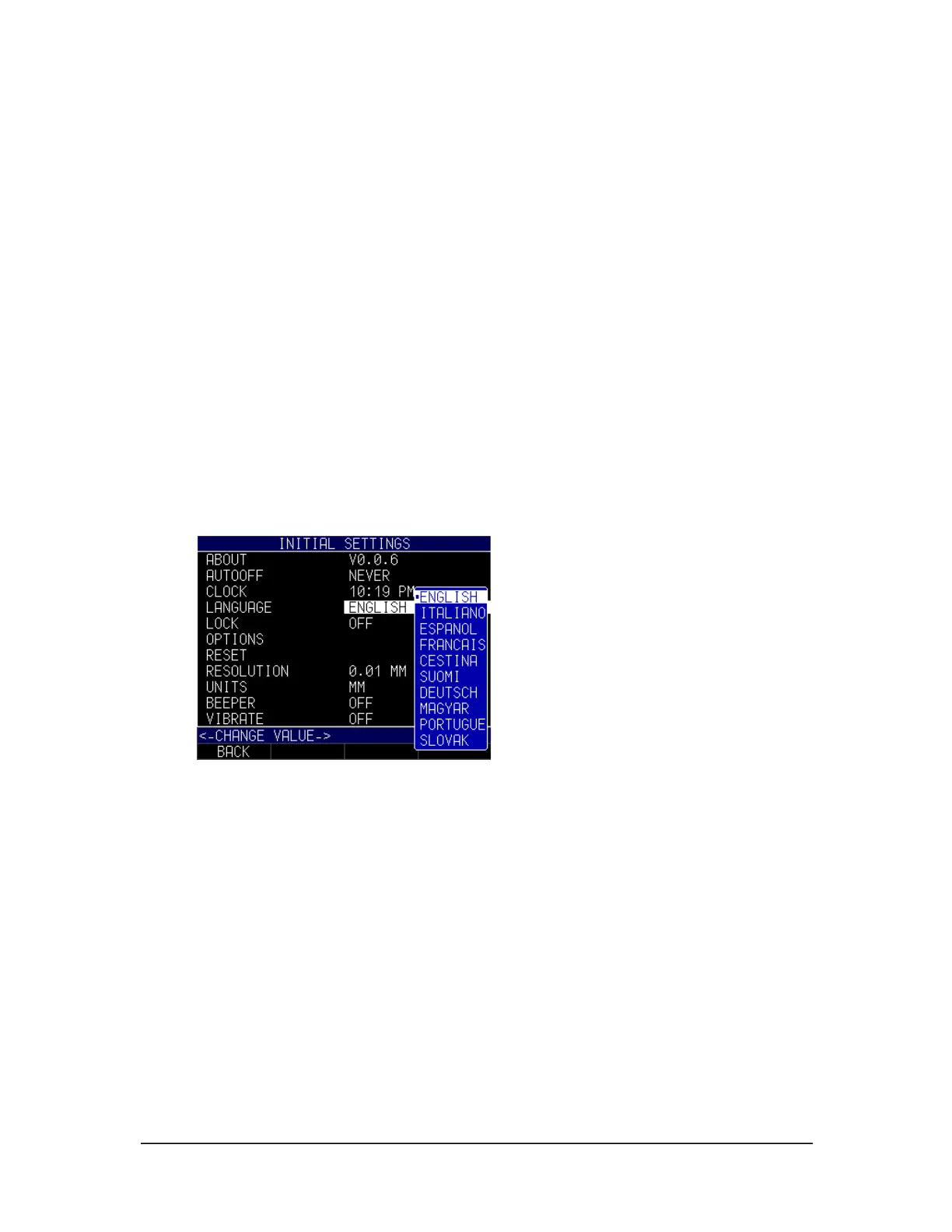
Language
There are multiple pre-loaded languages on the gage, such as: English, Italian, Spanish,
French, German, Russian, Czech, Finnish, Chinese, Japanese, Hungarian, and
Portuguese. Please contact Danatronics if you require a language other than the ones
provided.
To select a language, follow these steps:
1. Use the up and down arrow keys to select the Language option and press the
MENU/OK key.
2. Use the up and down arrow keys to change the setting.
3. When finished, press the F1 – Back key to exit the screen.
General Lock
The general Lock setting can be used to prevent unintentional key selection or calibration
modification.
To select a parameter, follow these steps:
1. Use the up and down arrow keys to select the Lock option and press the
MENU/OK key.



 To Next Page