ECHO Series Ultrasonic Thickness Gages
39
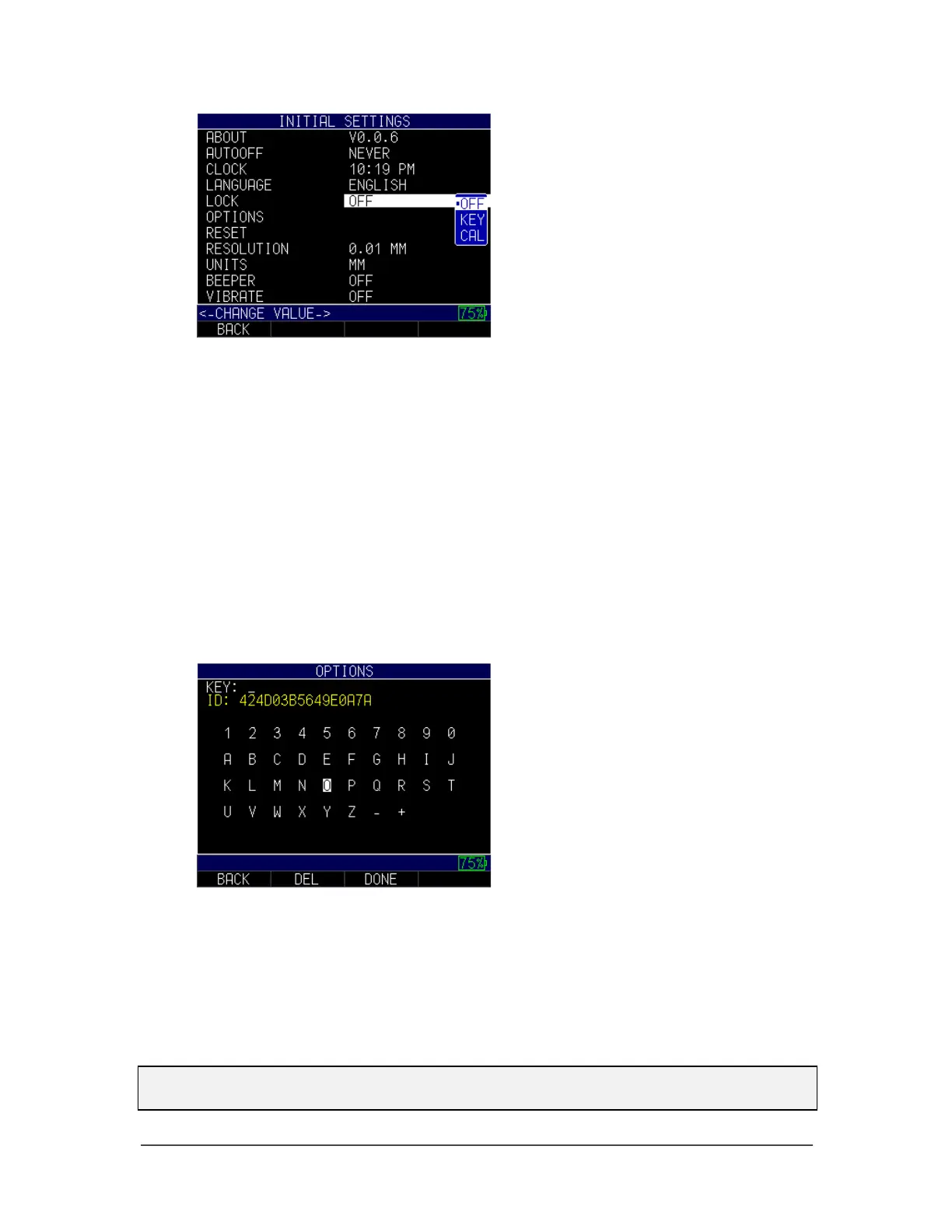
2. Use the up and down arrow keys to change any of the following settings:
• Off: The gage lock is disabled.
• Key: The keys on the gage are locked.
• Cal: Calibration keys and values cannot be modified.
3. When finished, press the F1 – Back key to exit the screen.
Advanced Locks
Please see Section 7: Special Features for more information.
Options
The Options setting is used for the datalogger.
To enter a key, follow these steps:
1. Use the up and down arrow keys to select Options and press the MENU/OK key.
2. Use the arrow keys to enter the correct Key code. After each numerical or
alphabetical selection, press the MENU/OK key. Note, your selection will appear
in the Key field.
3. If you make an error during the Key code selection process, press the F2 – Del
key to delete the last entered selection.
4. When finished, press the F3 – Done key to complete the selection process or
press the F1 – Back key to exit the screen.
Note: The Key code must be at least six characters. An invalid message will appear if
the Key code is incorrect.



 To Next Page