Danatronics, Corp.
46
0.500") will result in the yellow keypad illuminating. Also, any reading above the low
value of 0.101" and 0.120" will result in the yellow F2 key illuminating as you approach
the minimum.
In Alarm mode, choosing a non-zero percent value provides a warning for readings that
approach the selected percent value of the high or low limits. For example, if the alarm
value is 0.100" and 20% is entered as the “percent value,” reading from 0.101" to 0.120"
will result in the F2 “yellow” key being illuminated. Also, reading less than 0.100" will
result in the F1 “Red” key being illuminated and greater than 0.120" will result in the F3
“Green” key being illuminated.
Vibrating Alarm Display
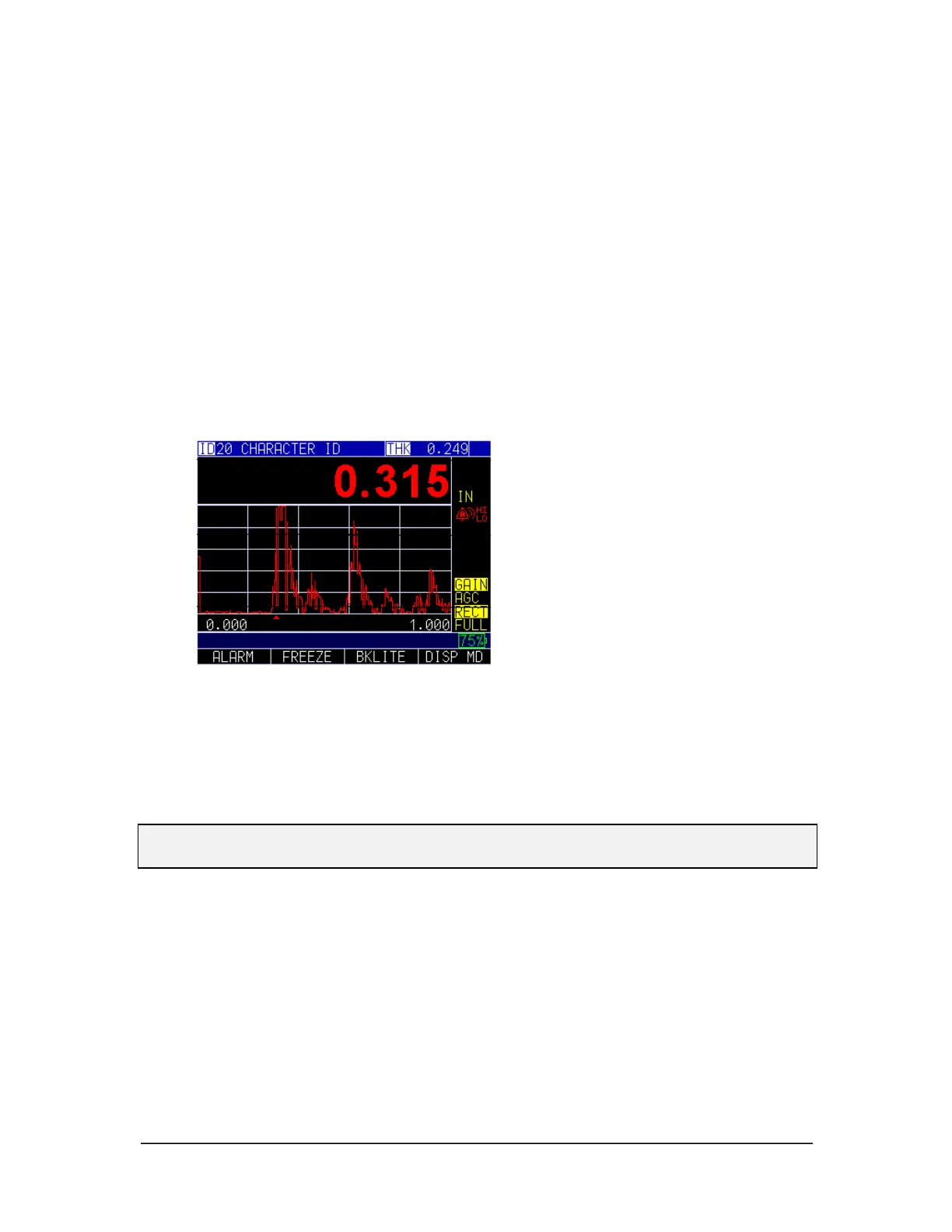
The vibrating alarm, noted with a bell icon and two curved lines to the right of the gage
display, can be enabled with varying alarms and alarm conditions as shown on the
screens below:
Visual, Audible, and Vibrating alarm enabled.
)) symbol appears next to the alarm icon. Hi (High) Lo (Low) appears next to the symbol.
The image above shows that an alarm condition has occurred meaning the measured
reading is greater than the High Alarm limit. The word Hi (High) appears next to the ))
symbol. If a low threshold is set as well, the word Lo (Low) appears next to the )) symbol
verifying the reading is lower than the Low Alarm limit.
Note: In the NON-DATALOGGER version, the F1, F2, and F3 key choices are different
and the file symbol or the filename along with ID# are not shown.
Blank
Use the Blank option when you do not want to read noise for a particular region. Using
the Blank option is not recommended when using Echo-to-Echo.
To set the Blank option, follow these steps:
1. Using the up and down arrow keys select the Blank option and press the
MENU/OK key.



 To Next Page