ECHO Series Ultrasonic Thickness Gages
9
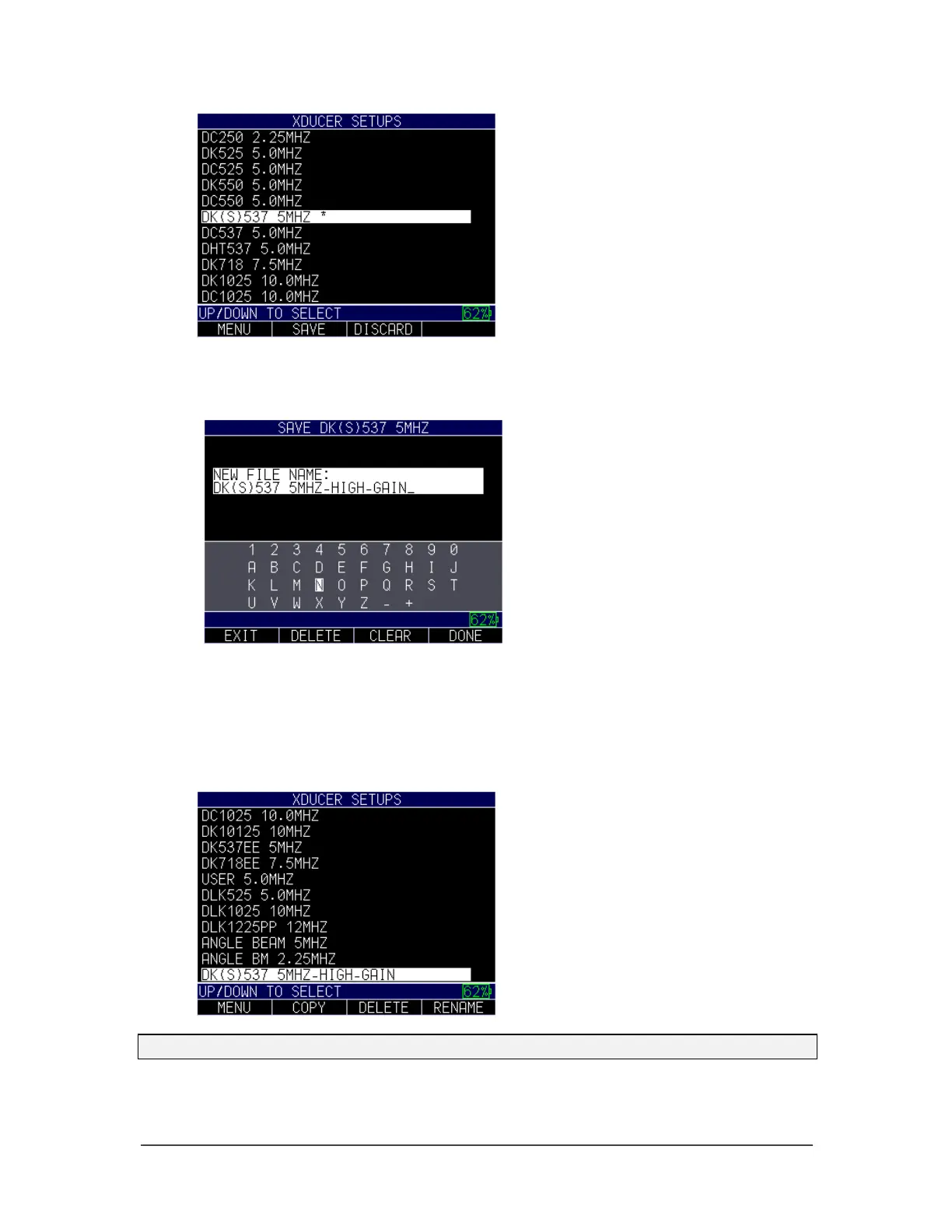
4. At this point, you can either SAVE the file by pressing the F2 key or DISCARD
it by pressing the F3 key. If you press the F2 key to save the file, then a screen
will appear with an alphanumeric keypad so you can name the custom file.
5. After naming the file, press the F4 – Done key. The new custom setup file will
populate at the end of the transducer list.
When the new file is highlighted in the transducer list, you can press the
MENU/OK key to use the custom setup or press the F3 – DELETE key to the
delete it. You can also press the F4 – RENAME key to modify the file name.
Note: Default transducers in the initial library cannot be deleted.
6. You may have more than one custom setup, as shown in the example below:



 To Next Page