22 Problem Solving
620
5
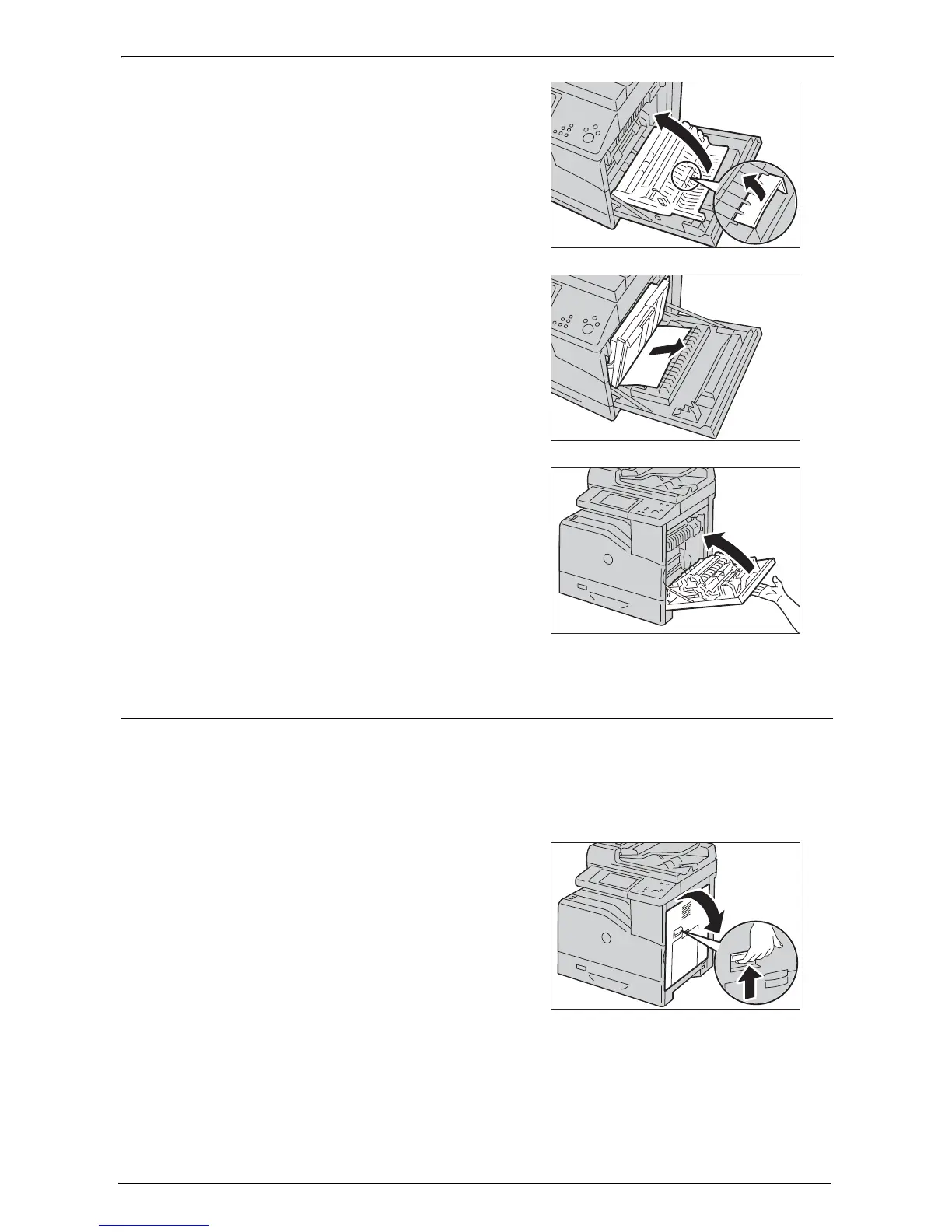
Use the handle to lift the duplex module.
6
Remove any remaining pieces of paper.
7
Close the right hand cover.
Note • When closing the right hand cover, apply your
hand in the vicinity of the handle as shown in
the illustration, and then press the cover firmly
toward the printer.
Paper Jams in Fusing Unit
The following describes how to clear paper jams occurring in the fusing unit.
Note • To prevent electric shock, always turn off the printer and disconnect the power cable from the
grounded outlet before performing maintenance.
• To avoid burns, do not clear paper jams immediately after printing. The fusing unit becomes extremely
hot during use.
1
Rise the latch on the handle of the right hand
cover to open the cover.














 To Next Page