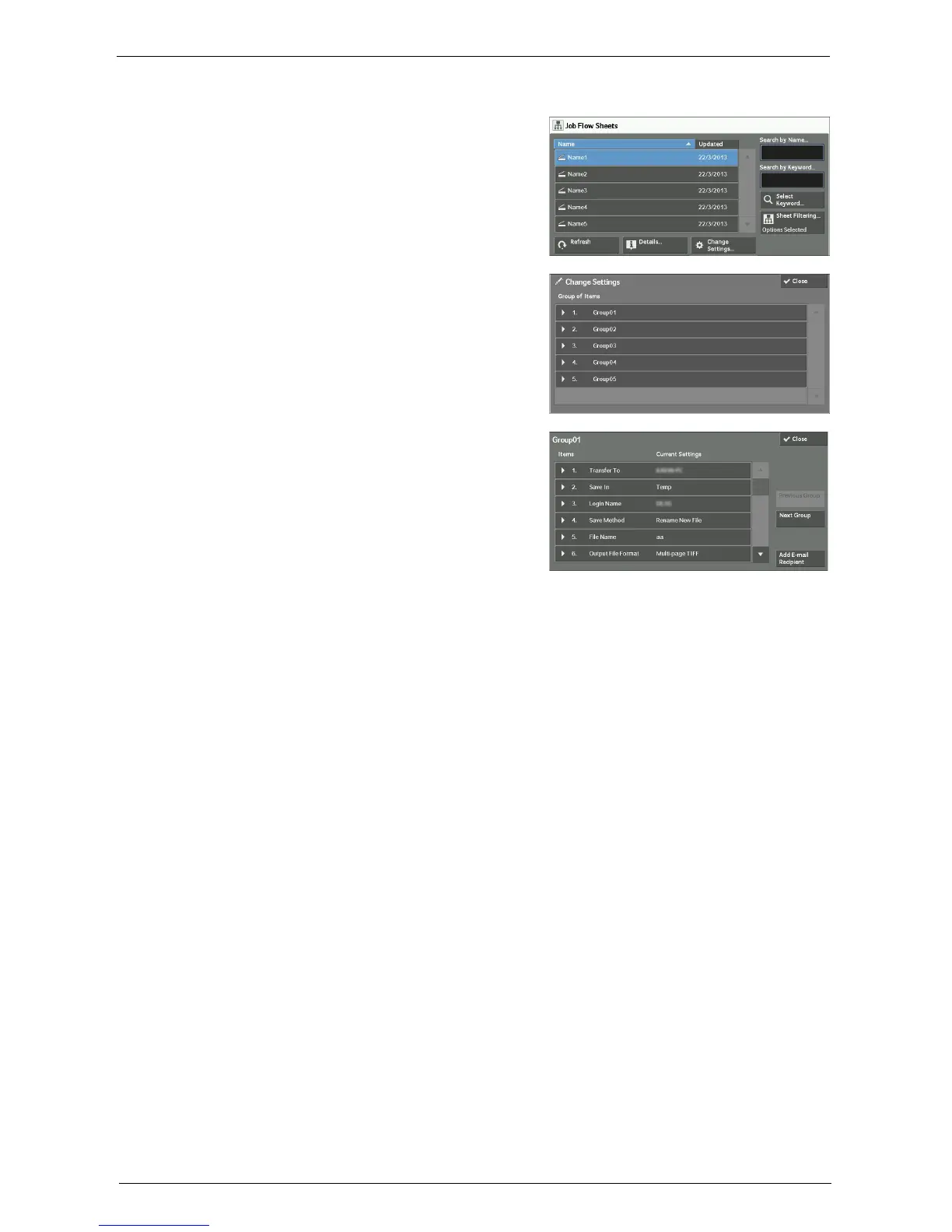
Selecting/Changing a Job Flow Sheet
173
[Change Settings] Screen
1
Select [Change Settings].
2
Select a group to be changed from [Group of
Items].
Note • The screen on the right does not appear if only
one group is registered.
3
Select the item to be changed.
Note • A triangle icon appears at the left of each
mandatory item.
4
Select any option.
Items
Displays the items set for the job flow sheet.
Current Settings
Displays the values set for the job flow sheet.
Previous Group
Displays the items of the previous group.
Next Group
Displays the items of the next group.
Add E-mail Recipient
Adds recipients for the e-mail.














 To Next Page