29 Using Access Google Drive™
776
5
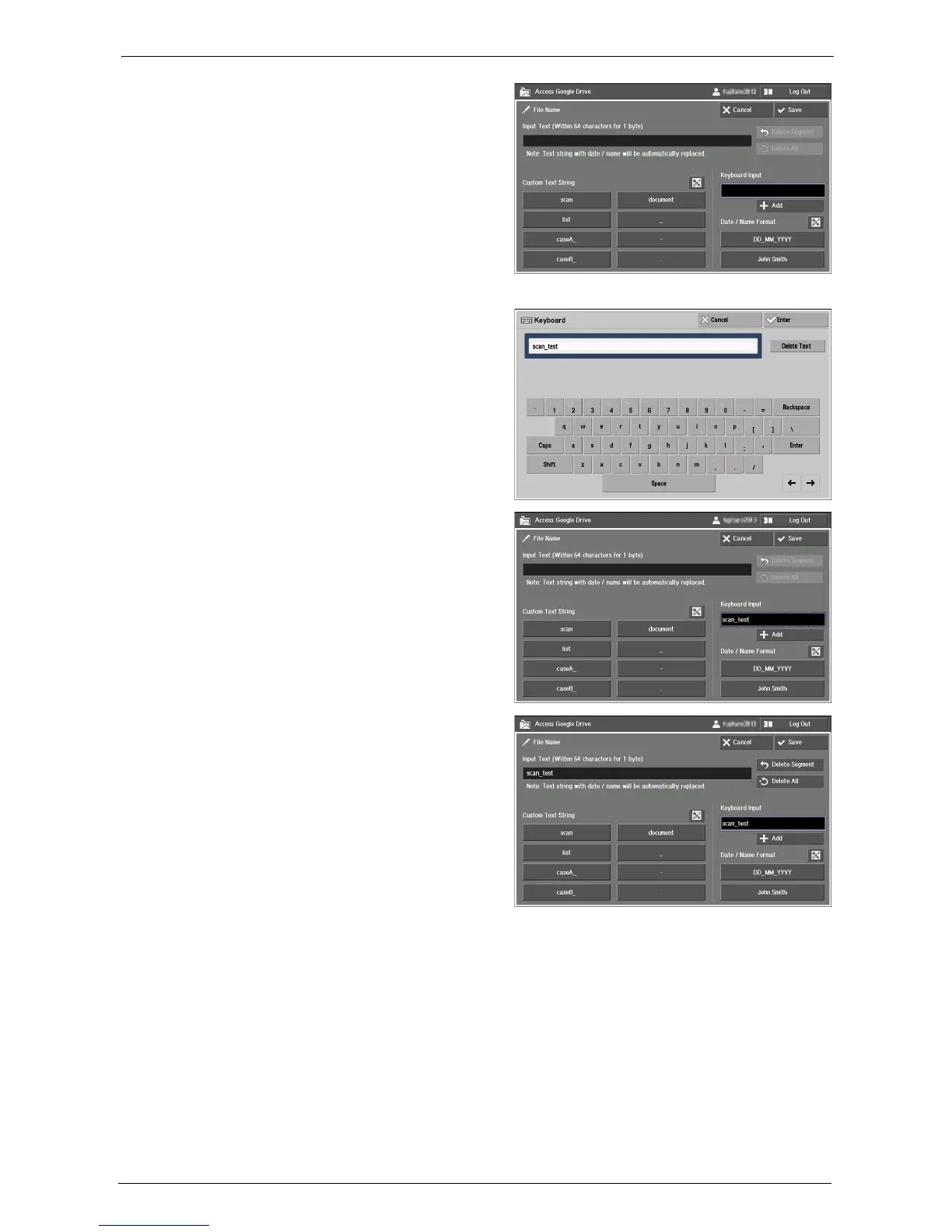
On the displayed input screen, select the
text box below [Keyboard Input].
For information on the input screen, refer to "Entering Text" (P.789).
6
Input "scan_test" with the keyboard
displayed on the screen, and select
[Enter].
7
Confirm that "scan_test" is displayed in
the text box below [Keyboard Input].
Then select [Add].
8
Select [ _ ] in [Custom Text String].
Note • You can set original strings to [Custom Text String]. For information on the setting, refer to "Setting
Custom Text Strings" (P.790).














 To Next Page