CAUTION: Many repairs may only be done by a certified service technician. You should only perform
troubleshooting and simple repairs as authorized in your product documentation, or as directed by the online or
telephone service and support team. Damage due to servicing that is not authorized by Dell is not covered by
your warranty. Read and follow the safety instructions that are shipped with your product.
NOTE: It is recommended that you always use an antistatic mat and antistatic strap while working on components inside
the system.
CAUTION: To ensure proper operation and cooling, all system bays and fans must always be populated with a
component or a blank.
NOTE: While replacing the hot swappable PSU, after next server boot, the new PSU automatically updates to the same
firmware and configuration of the replaced one. For updating to the latest firmware and changing the configuration, see the
Lifecycle Controller User's Guide at iDRAC Manuals.
NOTE: While replacing faulty storage controller, FC, or NIC card with the same type of card, after you power on the
system, the new card automatically updates to the same firmware and configuration of the faulty one. For updating to the
latest firmware and changing the configuration, see the Lifecycle Controller User's Guide at iDRAC Manuals.
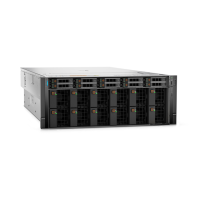
CAUTION: It is recommended to always install PowerEdge XE9680 system from bottom of the rack under
24U (42", 106.7cm) to avoid damage. The system is heavy therefore can slide over and cause damage during
installation and removal from a higher position on the rack.
NOTE: Rack Outlet Air flow requires 1200 CFM/Unit for PowerEdge XE9680 system.
NOTE: PowerEdge XE9680 power consumption is 12.5KW and the chassis length is longer than usual servers. Power
consumption and interference need to be considered for deployment of PowerEdge XE9680 system.
Before working inside your system
Prerequisites
Follow the safety guidelines listed in the Safety instructions.
Steps
1. Power off the system and all attached peripherals.
2. Disconnect the system from the electrical outlet and disconnect the peripherals.
3. If applicable, remove the system from the rack.
For more information, see the Rail Installation Guide relevant to your rail solutions at PowerEdge manuals.
4. Remove the system cover.
After working inside your system
Prerequisites
Follow the safety guidelines listed in Safety instructions.
Steps
1. Replace the system cover.
2. If applicable, install the system into the rack.
For more information, see the Rail Installation Guide relevant to your system at PowerEdge manuals.
3. Reconnect the peripherals and connect the system to the electrical outlet, and then power on the system.
Installing and removing system components
65




 To Next Page