Field Service Ver. 1.0 Apr. 2005 6. Other
49
ineo 161
ineo 210
Maintenance
11. Remove two screws from the rear
side of the Pulley Assy and remove
the gear.
12. Remove the cable from the cable
pulley.
B. Reinstallation Procedure
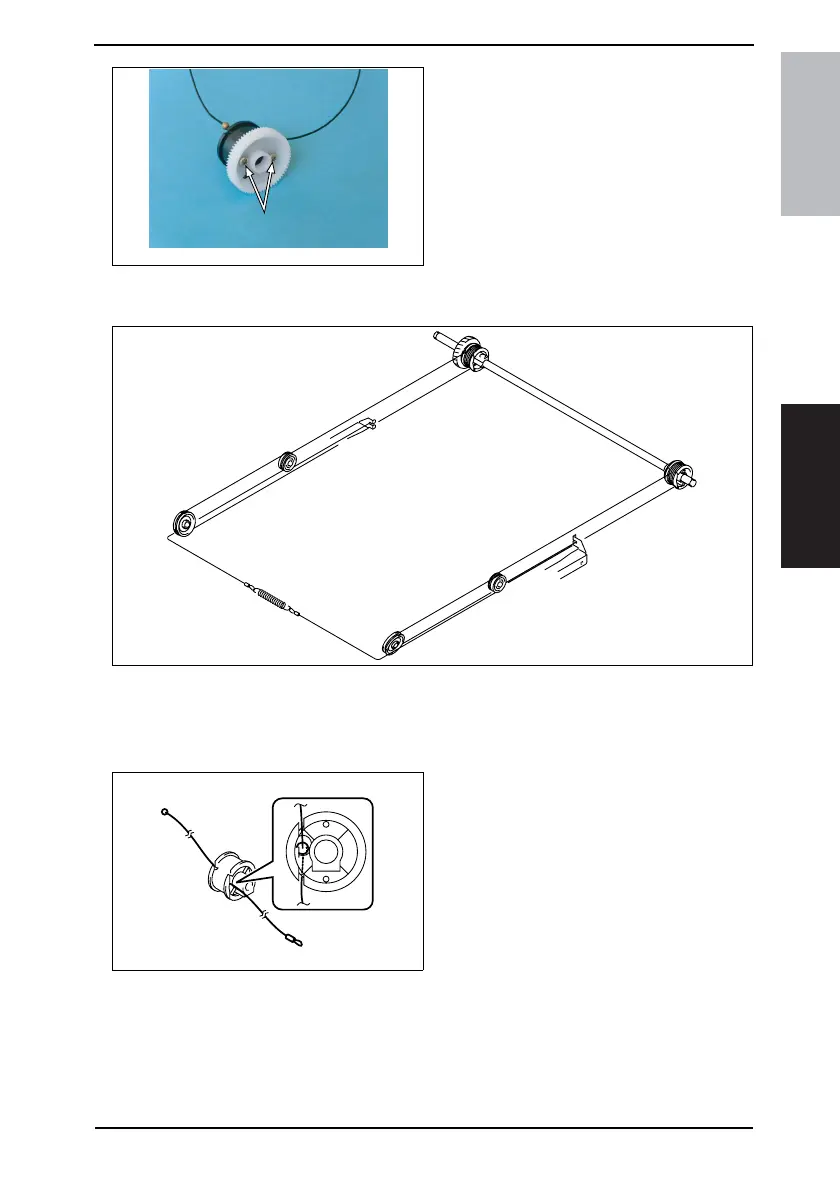
<Overall View>
NOTE
• The cables are color-coded and differ in type from each other: the front cable is sil-
ver, while the rear cable is black.
• Make sure that no part of the cable rides on the other.
1. Pass the cable (black) through wire
pulley 2.
4035D095AA
4035D109AA
Pulley A
Pulley B
Pulley C
Pulley D
Wire pulley 2
Wire pulley 1
4035D110AA
Side B
Side A










 To Next Page