106
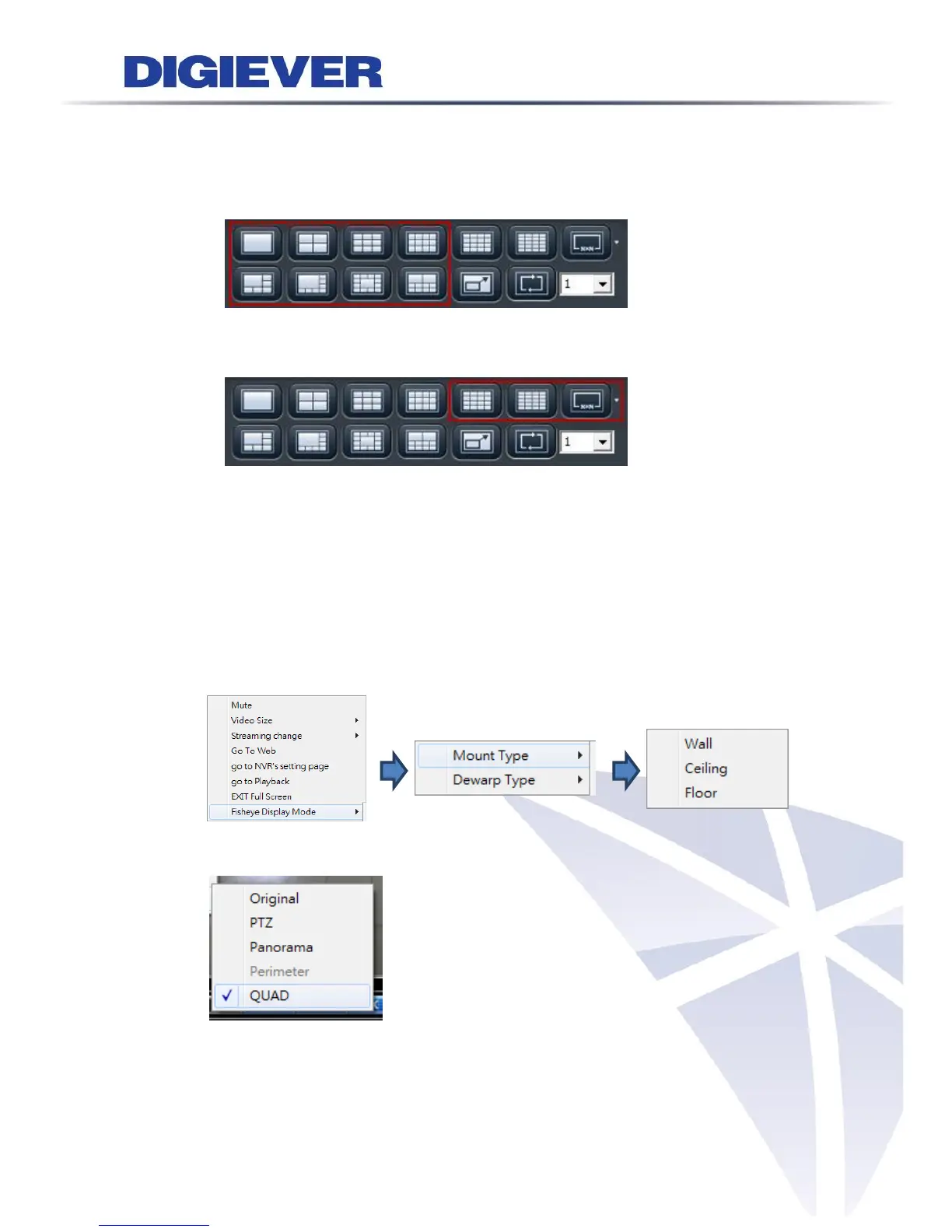
display modes. When users select the display mode with more than 16ch, NVR will
automatically change to stream2 for smooth real time viewing experiences
1/3/4/5+1/8/9/10/12/12+1-ch display mode:
liveview image automatically show the main stream(stream1)
16/20/25/30/36/42/49/56/64-ch display mode:
liveview image automatically show the sub stream(stream2)
When “Optimize” is disabled, users can manually adjust streaming type, which will
be memorized in different display modes.
2) Fisheye Display Mode: To view the best image quality by choosing use the
proper engine of fisheye cameras or cameras with Immervision lenses
(1) Dewarp for fisheye cameras
a. Choose mounting type:
b. Choose dewarp Type :
(2) Dewarp for Immervision Lenses
a. Choose dewarp type:



 To Next Page