148
(6) Failover (light blue):
Failover means videos are recorded in failover server.
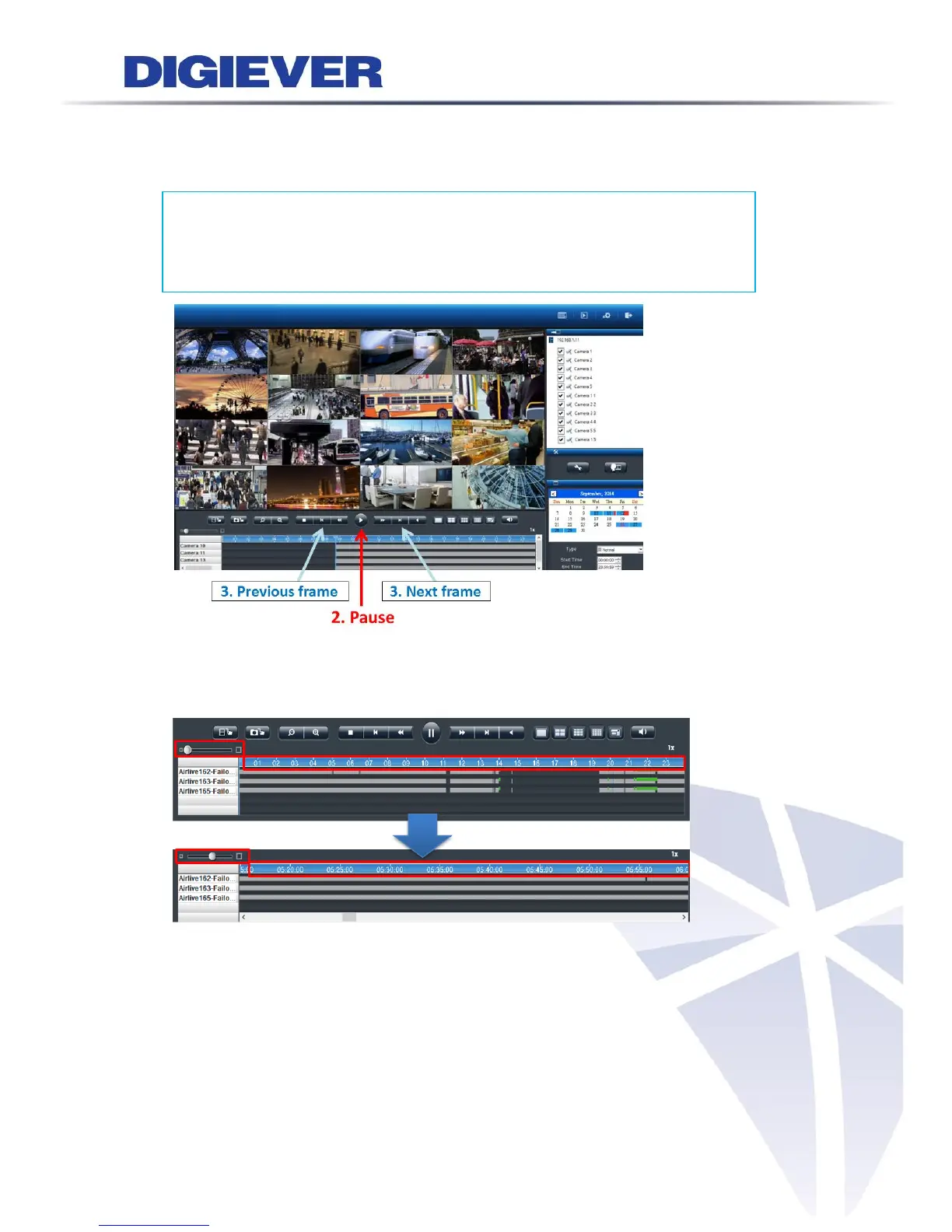
Frame by Frame Playback
1 Follow above four steps to playback
2 Click “Pause” button
3 Click “Previous frame” or “Next frame” button
Scale bar
Users can move the bar to enlarge or narrow down time period to check video
footage in time table.
Seek bar
By moving seek bar, users can go to the specific recording time directly. Time is
shown above seek bar to provide time reference.



 To Next Page