147
The description of recording types:
1) Normal (gray):
Normal Record means there is no special conditions happened such as
event, time overlap. It helps users to know at that time whether NVR has
recorded videos or not.
2) Event (red):
Event means at least an event is triggered at that time, which helps users
to efficiently find event recoded videos. To save videos in event type of
recording videos, please set up event setting in advance. For more
information, please refer to 5.2.3 Event & Action Management
3) Video Clip (yellow):
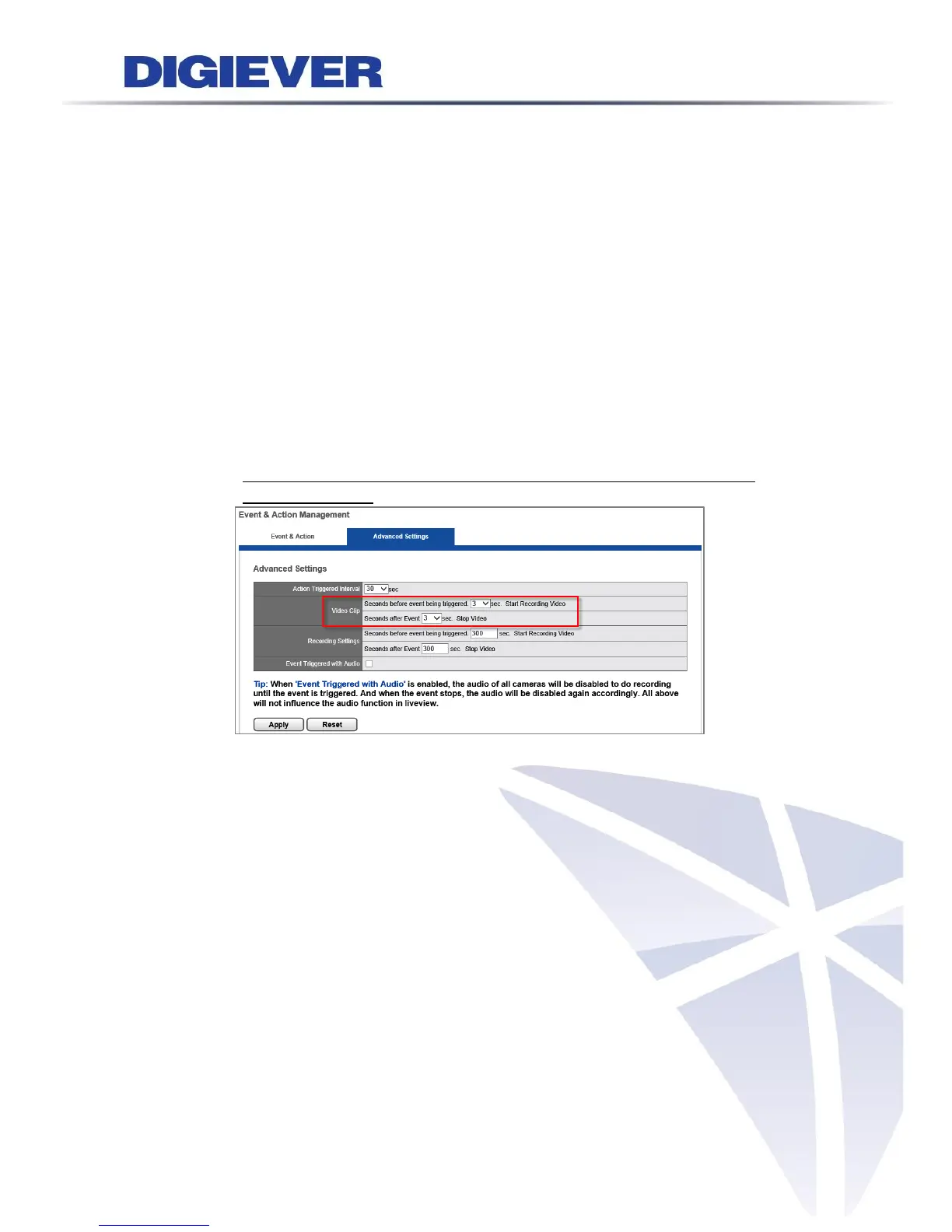
Video Clip means a brief video clip set by user to manage on event
triggered recording file, allowing to be sent by E-mail as well and user can
change the Pre-time (up to 10 sec.) and Post-time (up to 10 sec.) in
Configuration Page> Recording & Event> Event & Action Management >
Advanced Settings as below:
4) Recovery (blue):
Recovery file is generated once the NVR server resumes working once the
power electric back. This is special unique and advanced feature of NVR.
For an example, when the premises was broken into and the main power
switch was cut, there was a period of critical time of recording files were
captured by IP camera but it was not insufficient time to be converted the
temp video files to be wrote into hard disk drive. Once the NVR server gets
power resume, the NVR is able to generate a so-called Recovered File and
save on hard disk drive. User can then find out the critical evidence clips if
the camera successful captured the scenario.
5) Time Overlap (green):
Time Overlap file is generated once NVR server’s time is changed during
recording task. For examples, using NVR’s built-in NTP server to synchronize
a required time, or alter the NVR server time manually, or change the time
zone and enable daylight saving time.



 To Next Page