146
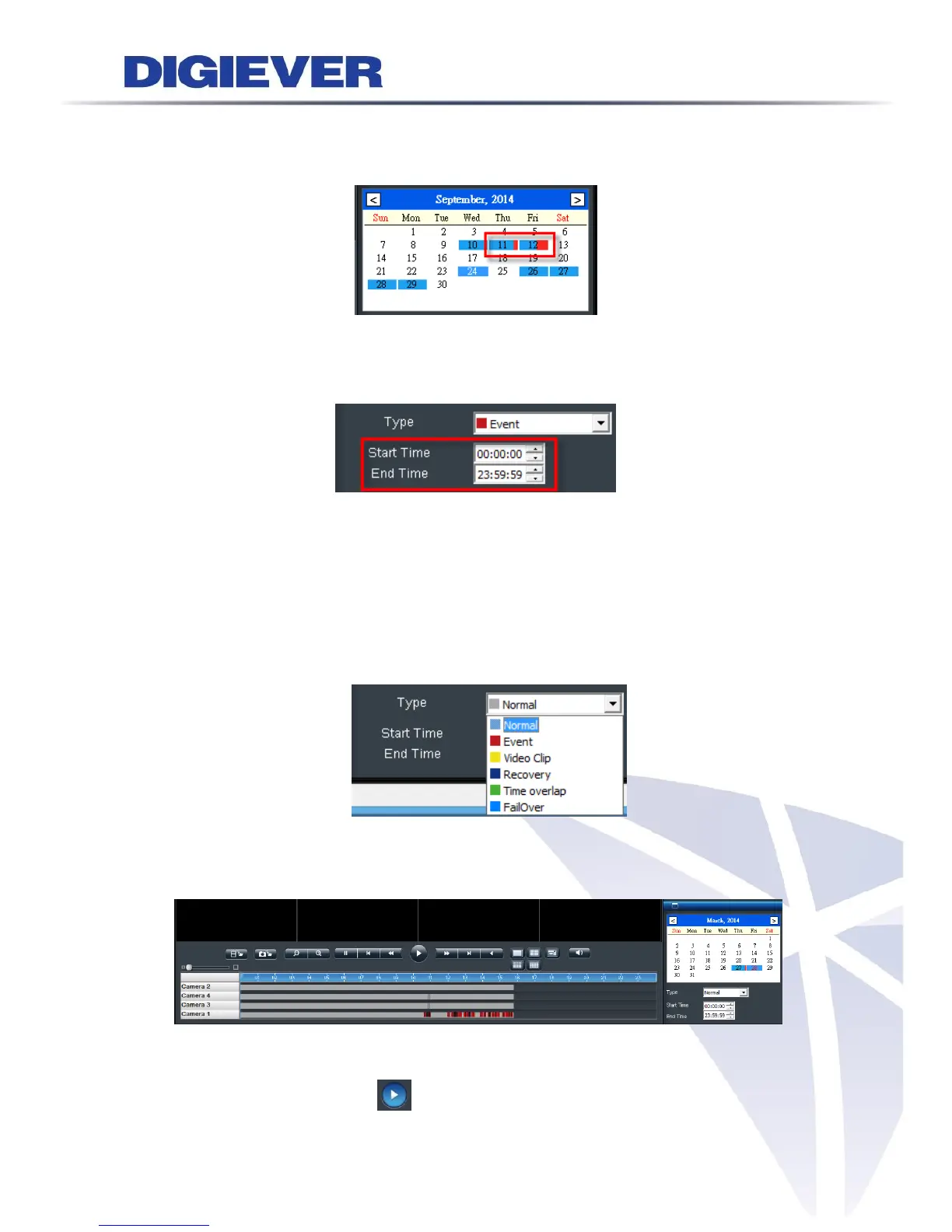
If there is an event recording in the specific date, the date will be remarked as blue
with red stripe aside.
Users can also select specific time period from time searching list (start time to end
time.) Start time and end time layout is Hour: Minute: Second.
The default time period is from 00:00:00 to 23:59:59.
3. Select recording type
Users can select five types of video file which is also displayed in Time table.
These five types of video file are distinguished from different colors in time table:
Normal(Gray), Event(Red), Video Clip(Yellow), Recovery(Blue), Time overlap(Green)
and Failover(Light Blue).
With the changing of recording types, time table will present in different color in
remote browser.
4. Click “Play”
Please click the play button to start playback.



 To Next Page