173
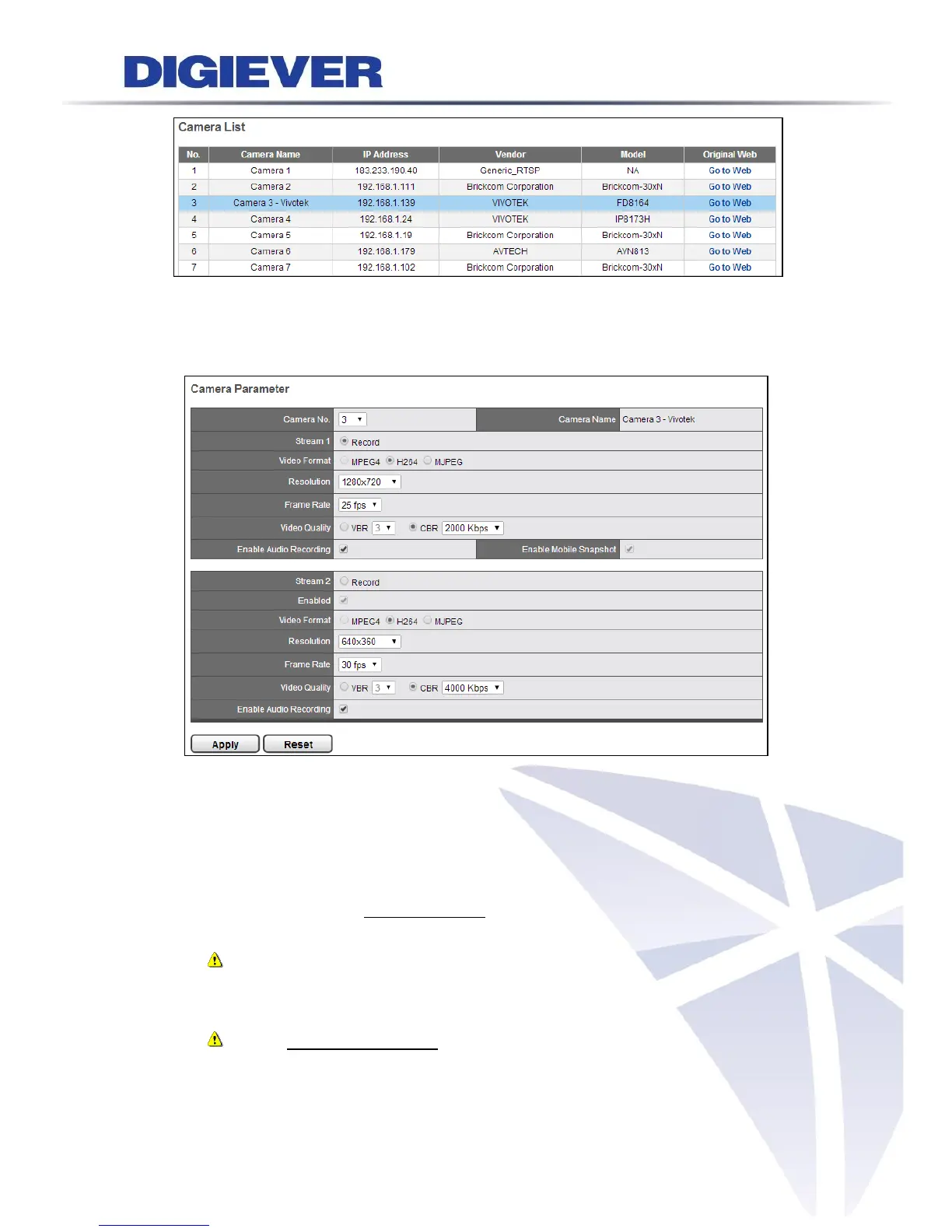
As you click one column turning into blue, please wait and the window below will
appear to allow users configure multi-stream.
After loading camera’s information, users can modify camera parameter.
Camera No.
Select a desired camera no. to add camera in NVR’s camera list.
Stream 1/ Stream 2 (Recording Stream)
Decide one stream as recording stream for video recording between stream 1
and stream 2, if cameras support dual streams.
Note: It is suggested stream 1 is set for higher resolution and stream 2 for
lower resolution, which helps users to choose the proper streaming on live view
with intuitive control.
Note: On liveview interface, NVR will display videos in stream 1 from
1-screen to 12-screen display mode. NVR will display videos in stream 2 when
display mode is above 16-screen.



 To Next Page