199
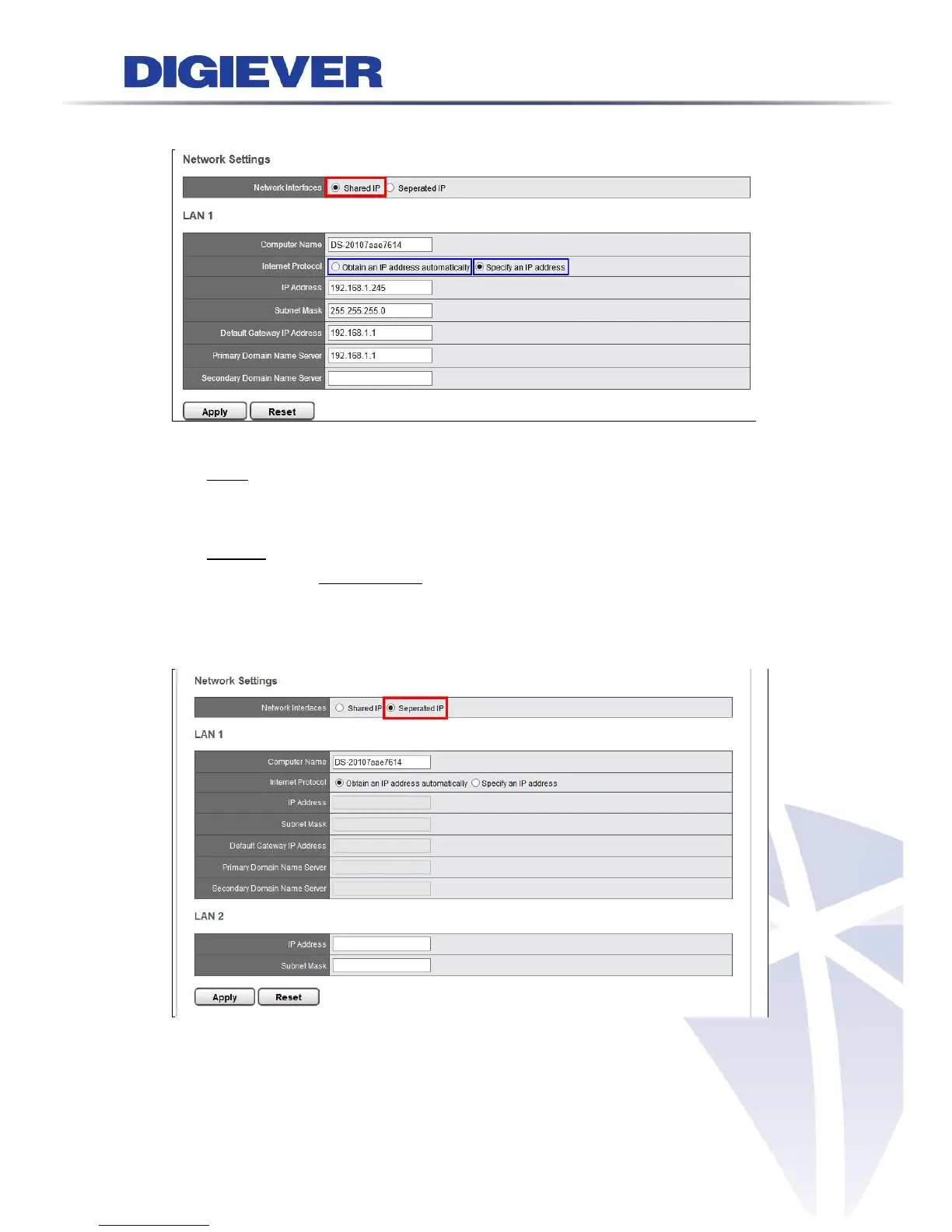
(1) Shared IP
Users can rename Computer Name and to assign DHCP or Static IP.
① DHCP: Obtain an available dynamic IP address assigned by a DHCP server. If this
option is selected, NVR will automatically obtain an available dynamic IP address
from the DHCP server when connecting to the LAN.
② Static IP: If no DHCP server exists in the networking environment, the IP address
will be given as 192.168.1.245. However, it’s recommended to set different IP
address of NVR if there is more than one NVR in the network.
Separated IP
Please enter two IP address to in LAN1 and LAN2 to set up different network
environments. Please click “Apply” to execute the settings.



 To Next Page