200
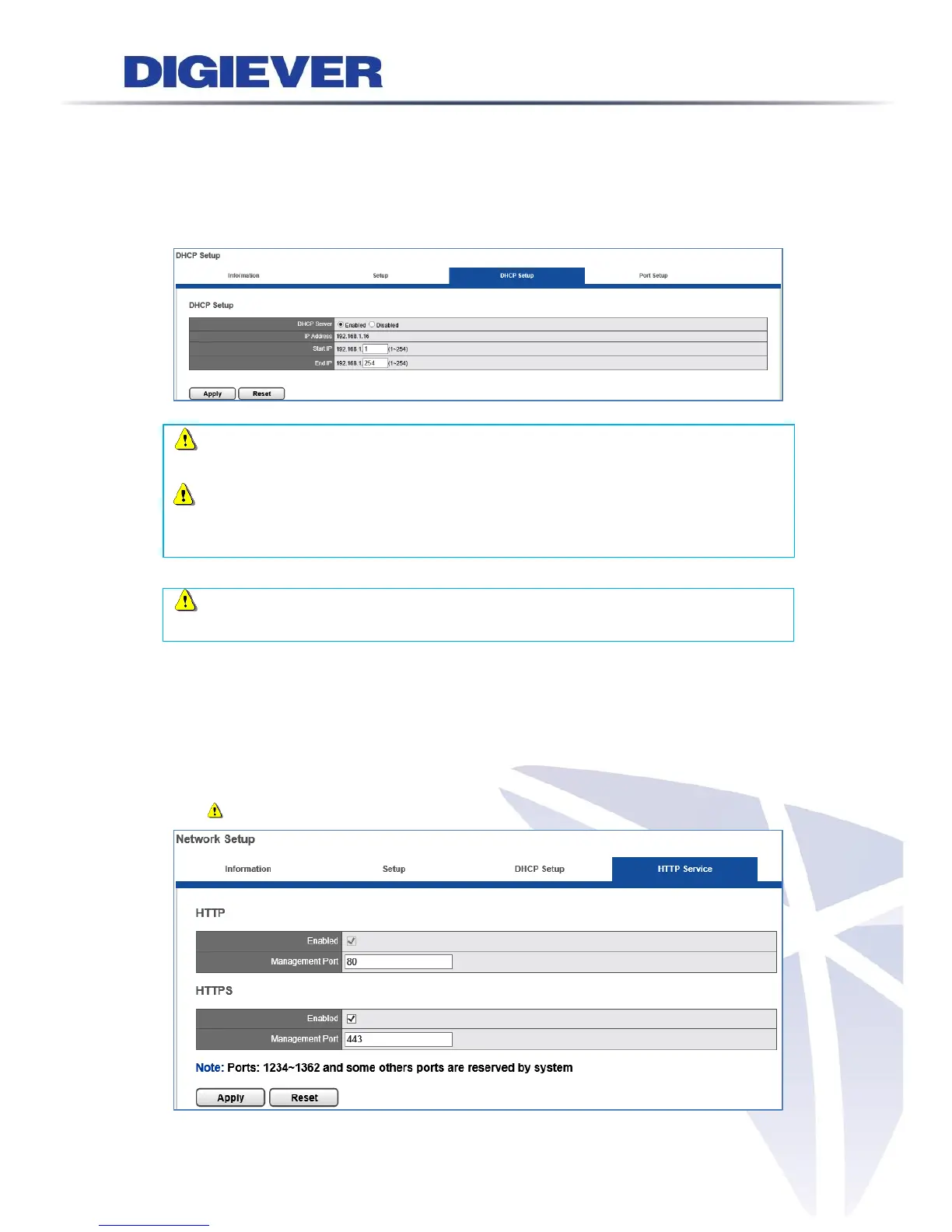
3. DHCP Setup
Built-in DHCP server allows users to easily install IP surveillance systems without
connecting another router providing network parameters. With built-in DHCP server,
NVR can assign local IP addresses to multiple IP cameras in a local area network
(LAN).
Note: In DS-2100 Pro+, DS-1100 Pro+, DS-2100 Pro and DS-1100 Pro, built-in
DHCP server is available when LAN is specified an IP address (static IP).
Note: In DS-8300-RM Pro+, DS-4300-RM Pro+, DS-4300 Pro+, DS-8200-RM Pro+,
DS-4200-RM Pro+, DS-4200 Pro+, DS-8200-RM Pro+, DS-4200-RM Pro, DS-4200 Pro,
DS-4000 and DS-2000 series, DHCP service will assign valid IP address via LAN2 port.
Note: Please do not connect to another device containing DHCP server function
such as router when utilizing built-in DHCP server.
4. HTTP Service
Please set up transmission port to access NVR. Default port for NVR connection is 80.
Users can concurrently enable HTTP and HTTPS feature to connect NVR. For users
with higher security concern, HTTPS can efficiently enhance security of network
communication.
Note. HTTP is the default setting.



 To Next Page