207
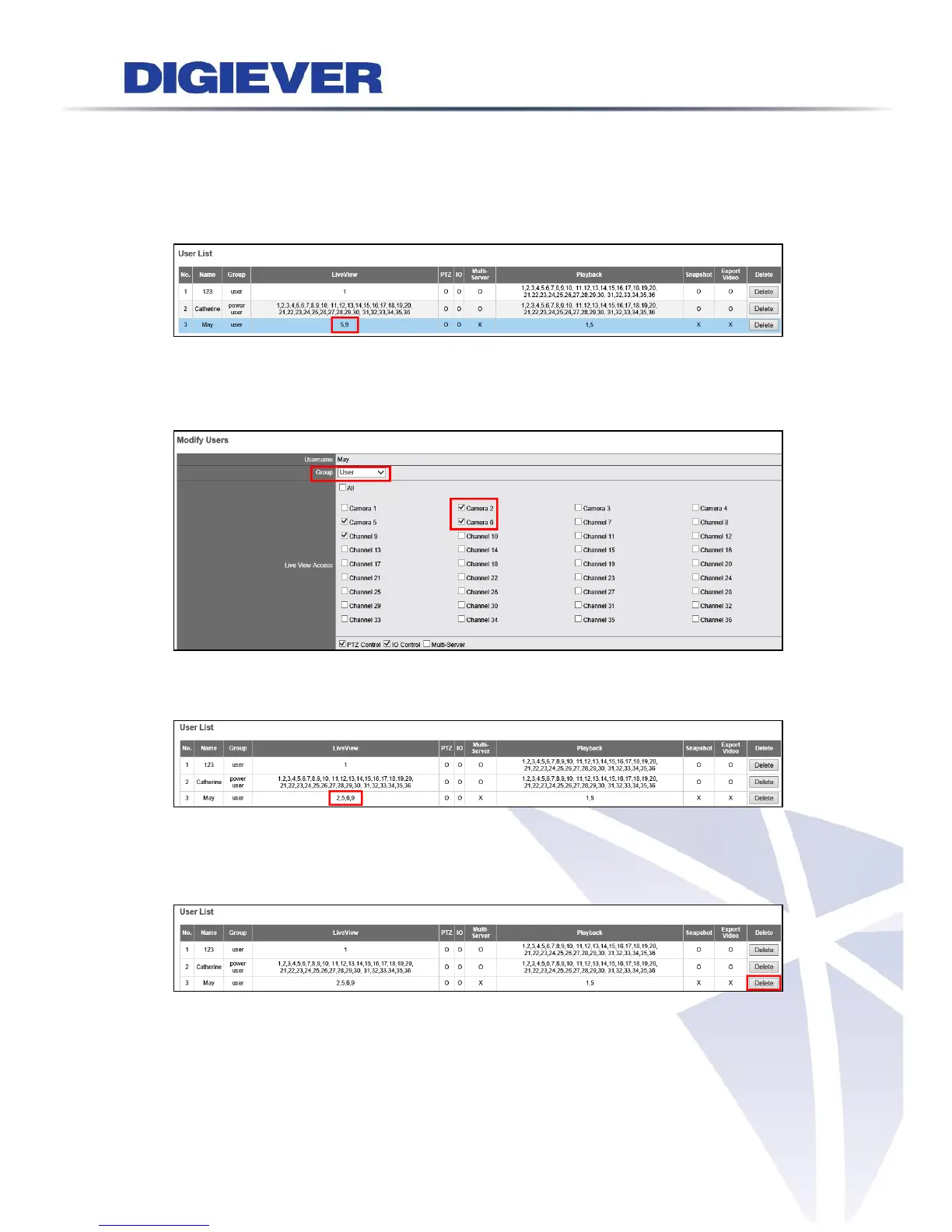
2. Modify Users
Please go to Modify User page.
Select an account to modify the Power User or User.
The selected account will turn to blue and the page for modifying user will appear as
below. You can change Live View Access and Playback Access. Please click “Apply” to
proceed.
After User is modified, user list will display the renewed information.
To delete the user account, please click “Delete” from User List in Modify Users
page.



 To Next Page