216
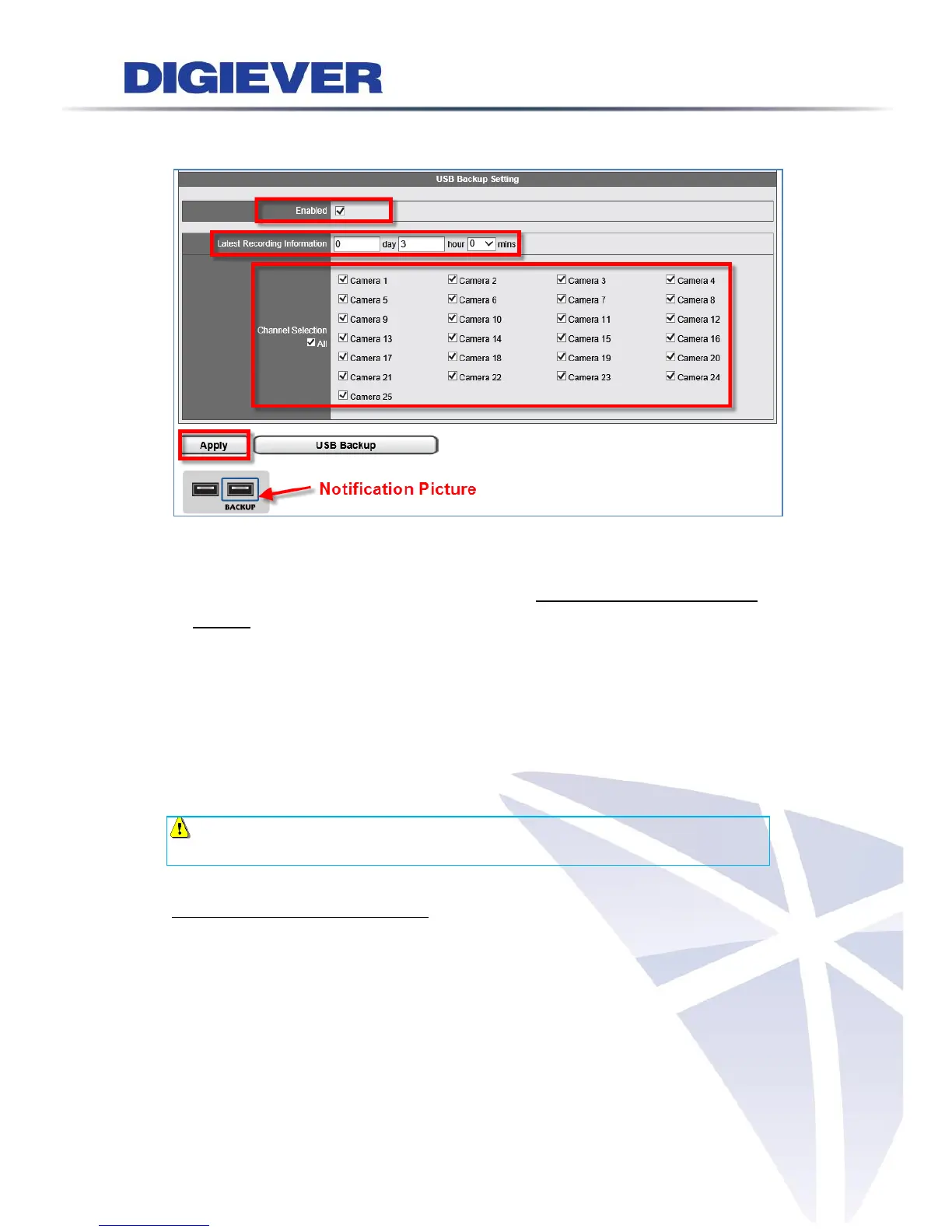
USB Backup Button Setting on Remote Web Browsers
Enable: USB Backup button function can be enabled or disabled, for security
concern.
The latest duration of recordings: Users can set a maximum of days, hours and
minutes to back up the latest video files.
Channel Selection: Users can select certain camera channels or click “All”
channels for future backup.
Apply: Please click “Apply” to finish configuration.
USB Backup: Save settings and export videos to USB device
After finishing setup, users can insert a USB device to the local NVR to back up the
latest video files.
Note: Notification Picture is designed to notify users of the location of USB
Backup port.
Software USB Backup Virtual Button
By clicking “USB Backup” button, NVR will save the settings (The latest duration of
recordings and Channel selection) and export videos to USB device now. Please insert
a USB device to start to back up the latest video files.



 To Next Page