218
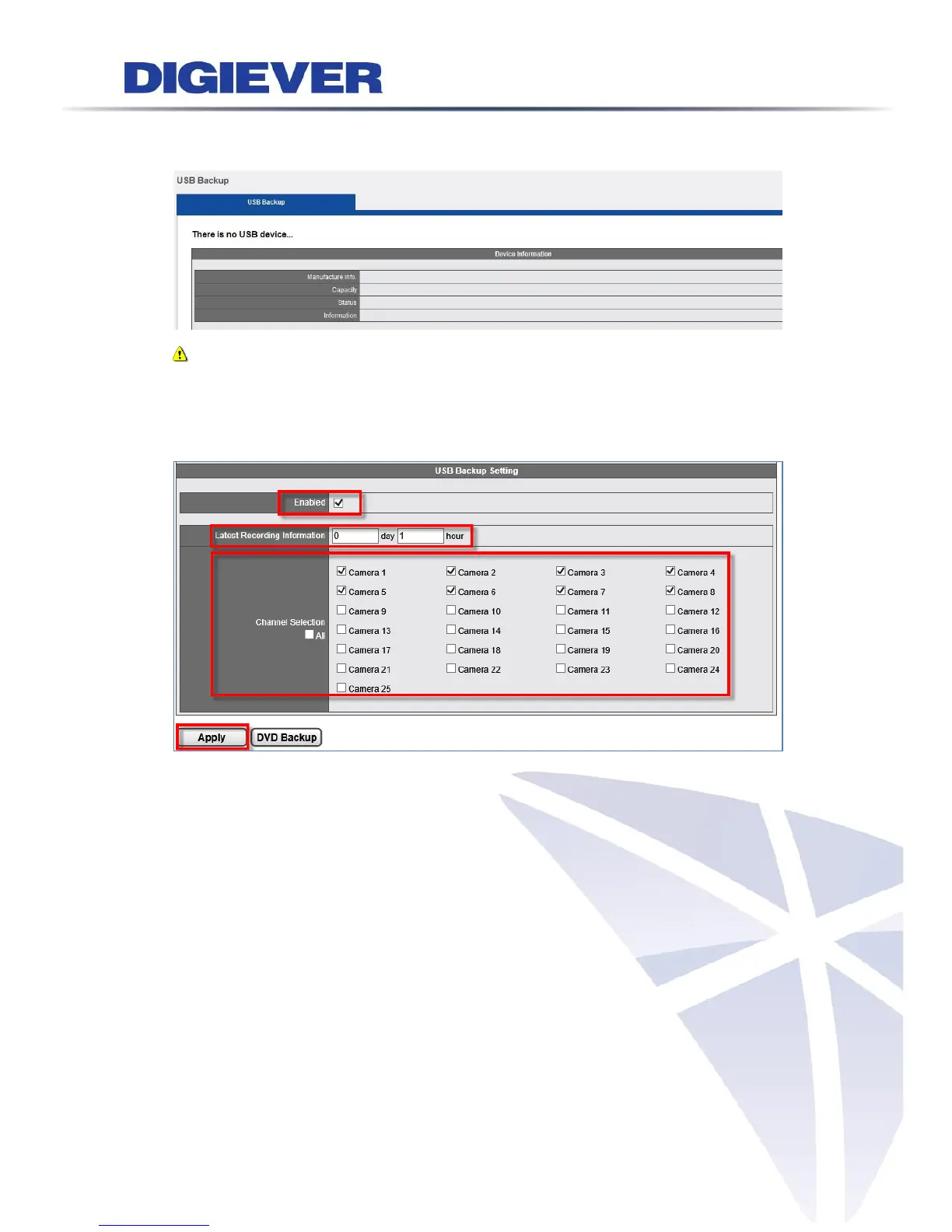
If there is no USB inserted into NVR, the screen will show “There is no USB device…”
as below picture:
Note: NVRPlayer and NVRCheck will be downloaded with video files.
2. DVD Backup
USB Backup Button Setting in Remote Web Browsers
Enable: Hardware USB Backup button function can be enabled or disabled, for
security concern
The latest duration of recordings: Users can set a maximum of days and hours to
back up the latest video files
Channel Selection: Users can select certain camera channels or click “All”
channels for future backup
Apply: Please click “Apply” to finish configuration
DVD Backup: Save settings and export videos to USB device
After finishing setup, users can insert a USB type DVD burner to the local NVR to back
up the latest video files.



 To Next Page