79
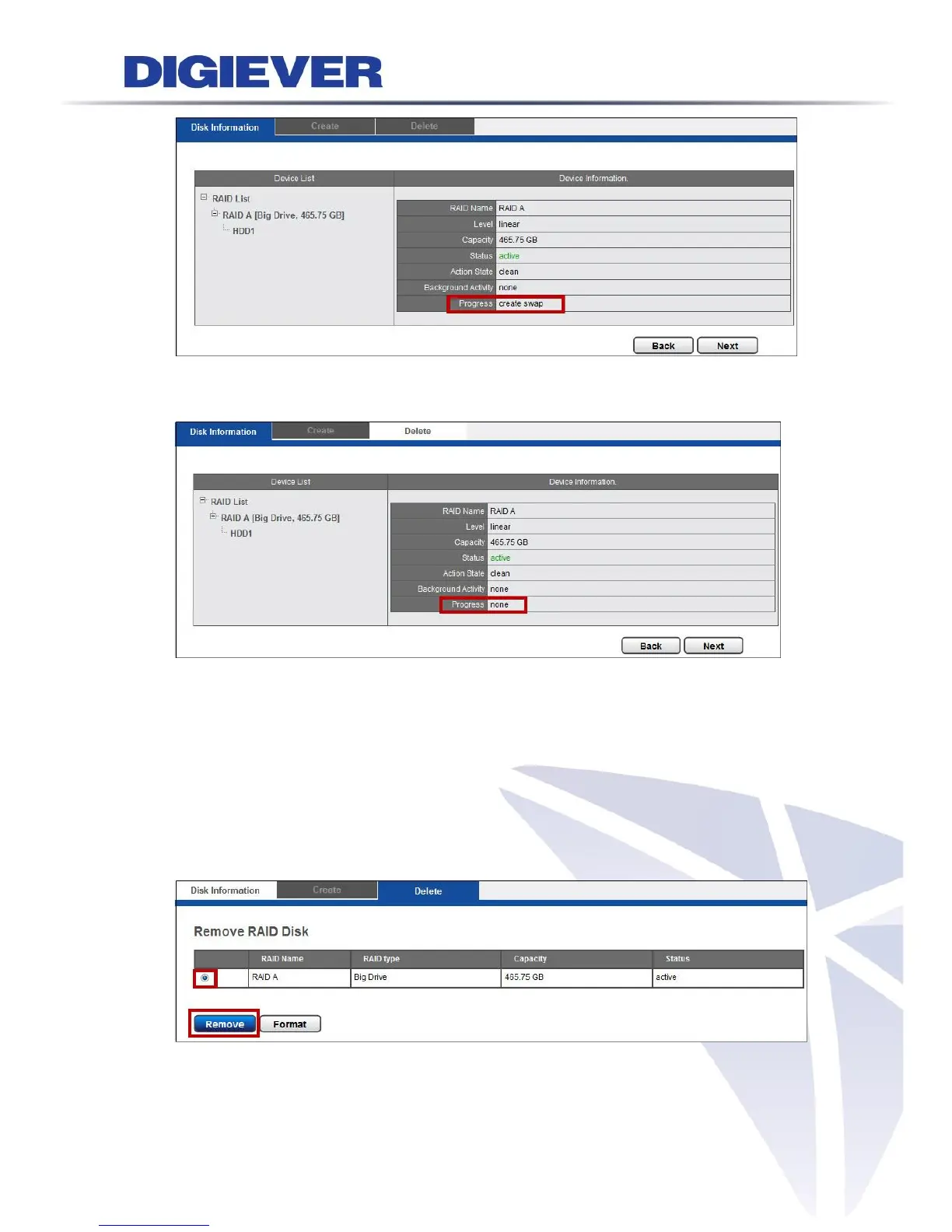
The progress is in “Create swap” and is going to finish the disk building.
Finally, the RAID disk building is complete.
After the RAID disk is created, RAID List shows RAID Name and available storage
devices. Device Information provides status of the hard drive: RAID Name, Level,
Capacity, Status-Active, Action State, Background Activity and Progress-none.
3. Delete
After the RAID Disk is created, “Delete” option is available.
If user is going to delete RAID disk, please refer to following description.
In “Delete” option, user can remove or format RAID disk by selecting the RAID disk.
In the table, RAID Name, RAID type, Capacity and Status are shown.



 To Next Page