80
Remove
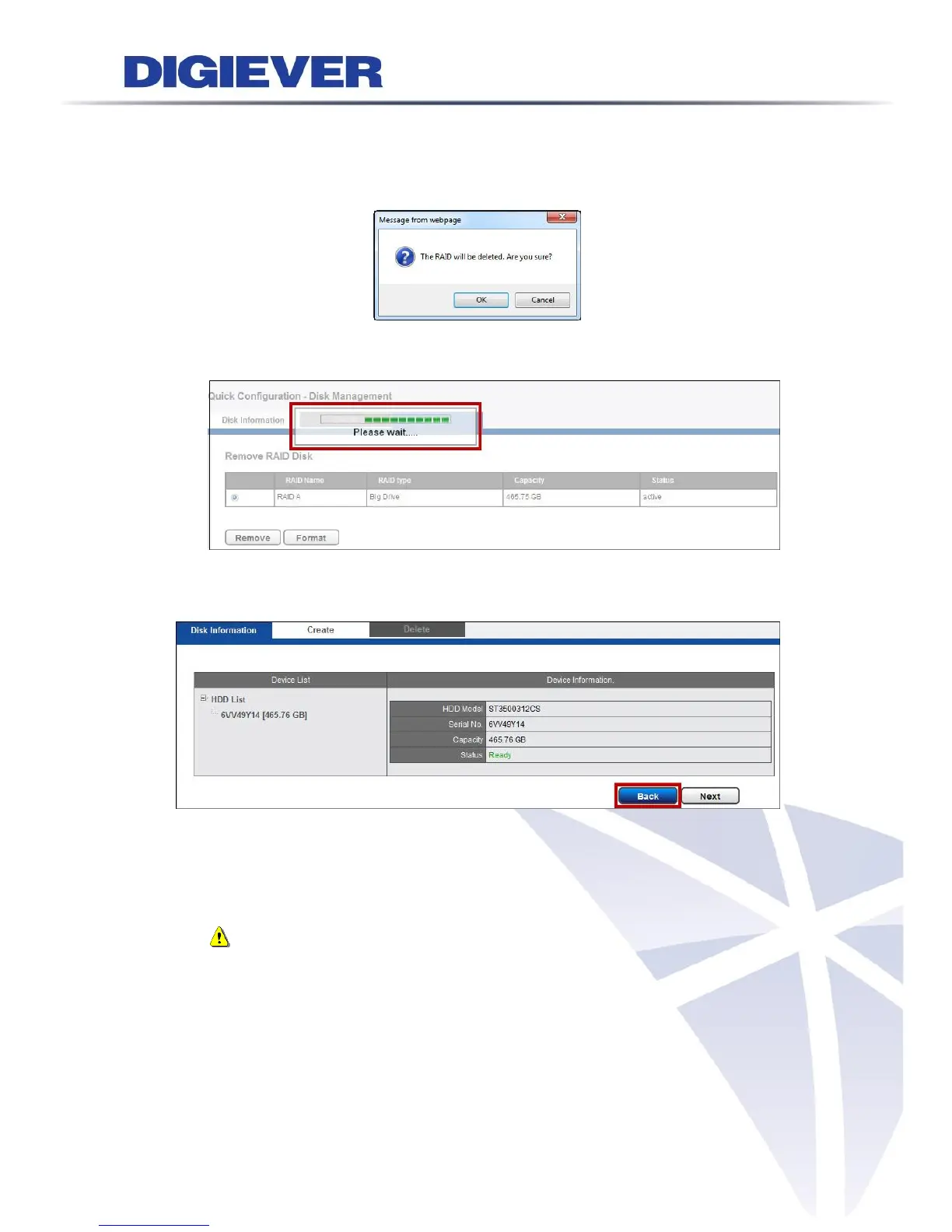
Click “Remove” to delete RAID Disk. Once “Remove” is clicked, a window will
pop up to ensure the execution.
To delete RAID Disk, click “OK” to proceed.
Please wait. The deletion is in a process.
If users want to change the RAID level setting, please click ‘‘Remove.’’ After the
RAID Disk is removed, the Status in Device information shows “Ready,” then
users can go back to Create page to continue the new RAID level configuration.
Note: Once you remove the disk and continually create it, the recorded
video will be formatted.



 To Next Page