83
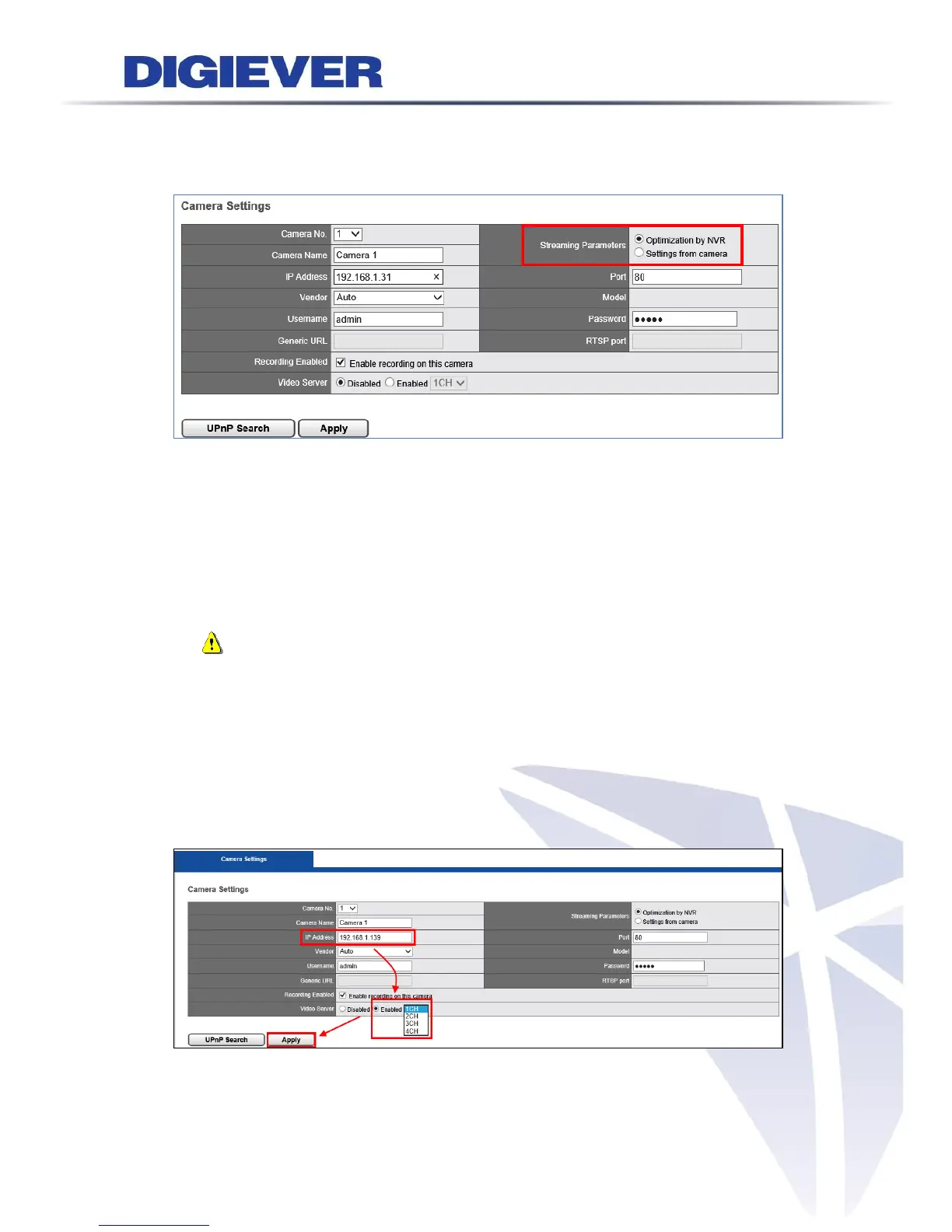
Streaming Parameters
NVR provides two options to set up stream parameters: Optimization by NVR and
Settings from camera.
(1) Optimization by NVR
By selecting this option, NVR will optimize settings to perform the best
surveillance efficiency.
(2) Settings from camera
If users have already set up camera settings from camera webpage, NVR can
adopt camera setting by selecting “Setting from Camera.” This option can
largely save users’ time and effort when users install surveillance systems.
Note: It is highly recommend to use “Optimization by NVR” to perform the
best surveillance quality in both live-view and playback.
Multi-channel Video Server
NVR supports multi-channel video server feature to connect analog cameras to NVR.
Users are asked to enter IP Address. Check correct username and password.
Please click “Enable” Video Server and choose the channel number. Then, click
“Apply” button.



 To Next Page