89
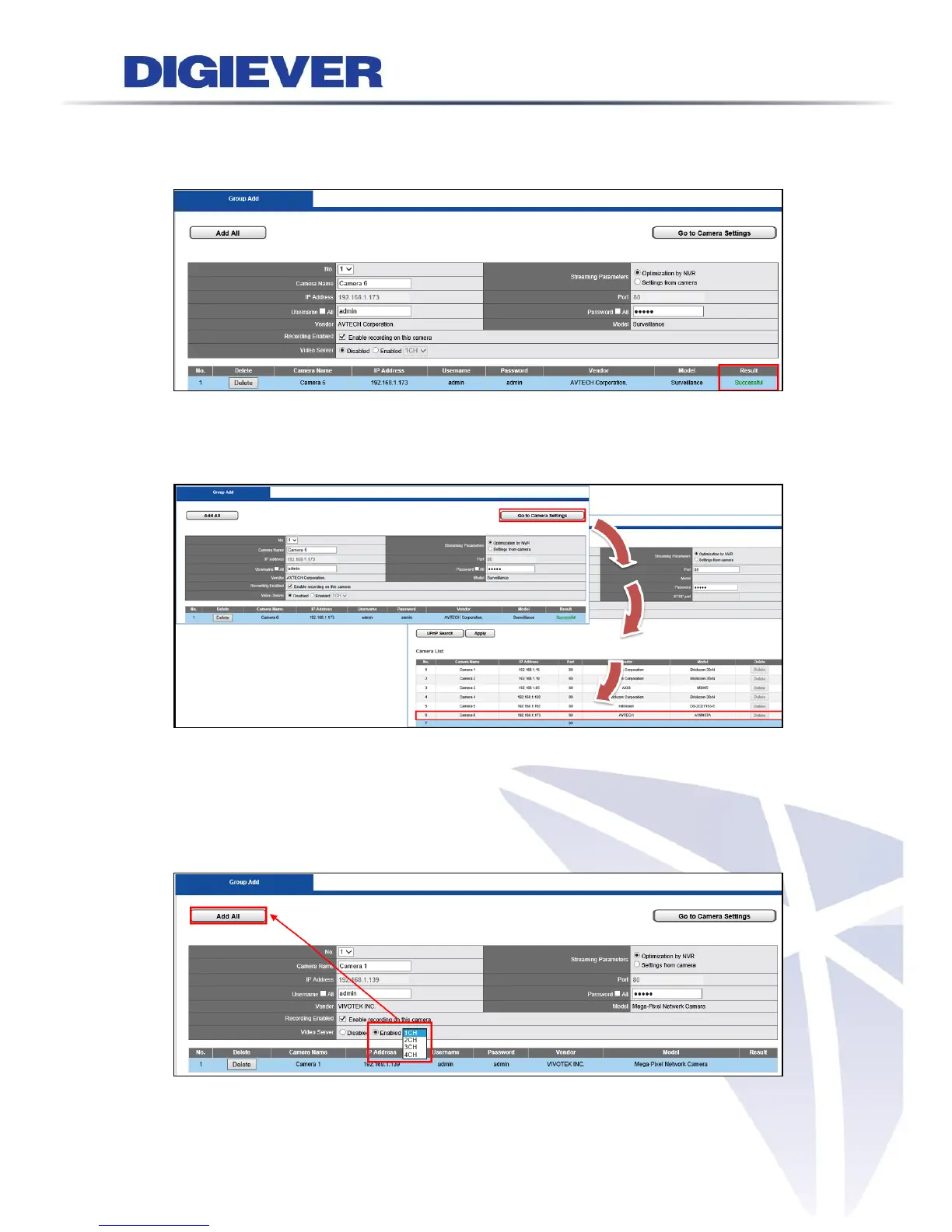
Status column in camera list will display “Successful” when cameras are successfully
added in NVR.
Please click “Go to Camera Settings” button to check all camera information camera
list that is successfully added in NVR.
Multi-channel Video Server
NVR supports multi-channel video server feature to connect analog cameras to NVR.
Please click “Enable” Video Server and choose the channel number. Please click
“Add All” button after finishing checking all camera information.



 To Next Page