88
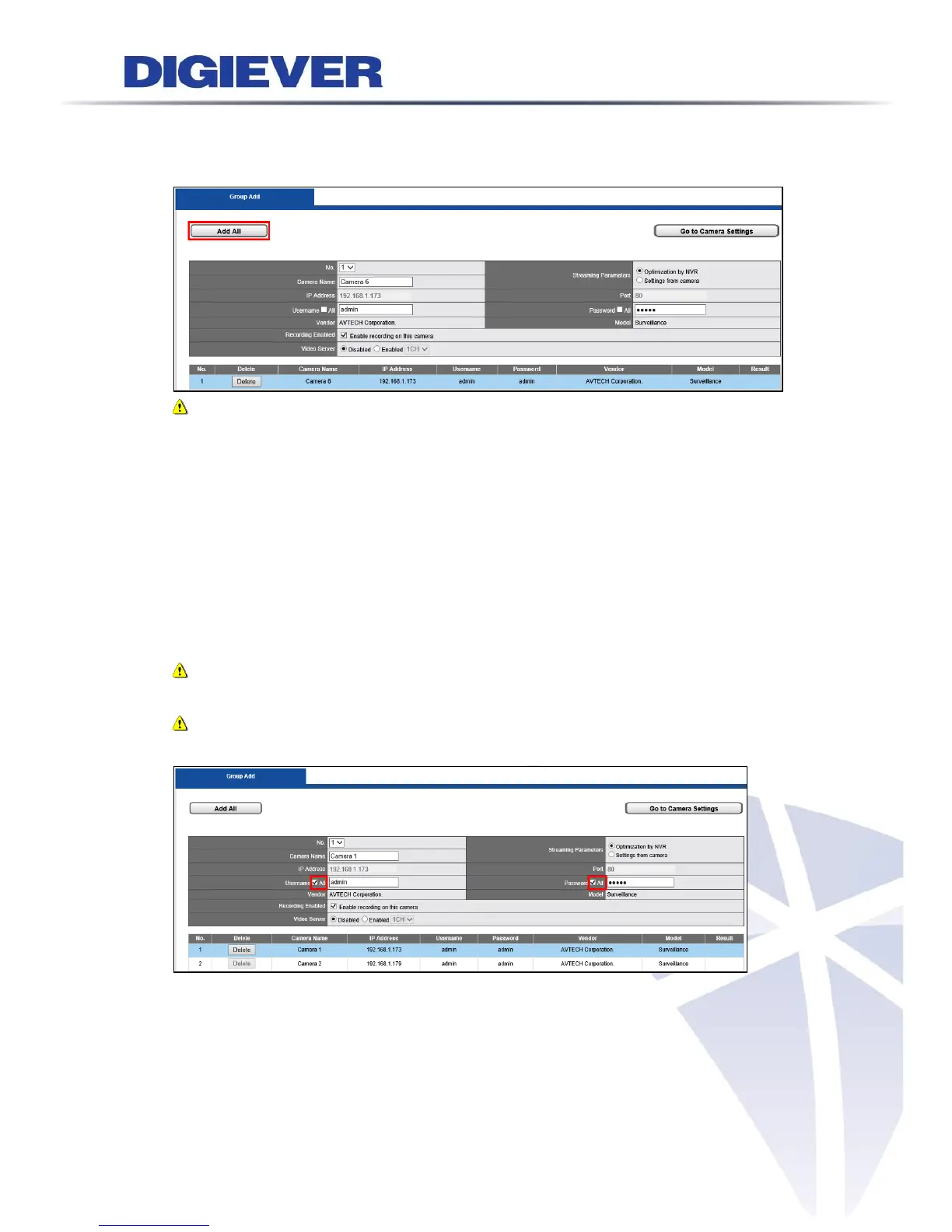
Please check camera information in Group add page. Then, Click “Add All” button to
start adding cameras
Note: NVR will automatically fill in default username and password of each
vendor. Camera No., Camera Name, User Name and Password can be modified by
users.
Memorize modified username and password:
NVR will memorize username and password which is modified by users after users
click “Apply” button. Then, the default username and password of that vendor will
be replaced by the modified one. Next time when users add new camera of the
specific vendor, username and password will be automatically filled in by new
modified one.
Note: Each vendor has its own default username and password.
Note: By clicking “All” option beside Username and Password, NVR will
automatically memorize modified username and password of that camera brand.
As above example, NVR will modify default username and password of AVTECH
camera and make the new username and password become AVTECH’s default
username and password.



 To Next Page