6. COMMUNICATION WITH TRANSMITTER
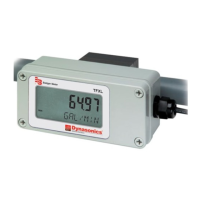
6.1. Control Panel and LC-Display
The transmitter does not have an extra power switch. On connecting the transmitter to a power supply the LC-Display shows
the programmed parameters and the control panel can be operated (see Figure 11).
LC-Display
Continuous display of ow meter status and current readings.
Desired parameters and corresponding units to be displayed are user dened by
programming every single lines of the display page via management
user interface.
Display / Scroll interval is also dened via user interface.
LED control light power on power o
Reset / Restart button
Press button for 1 second
> software controlled shut down.
Reset after 3 seconds
Press button for more than 8 seconds
> hardware controlled power o / switch o
Restart after 3 seconds
Only use if system is unresponsive!
WiFi Press to start / stop WiFi.
Navigation keys
up / down
Press to navigate through single display pages.
Figure 11: Control panel and display functions
For programming and operation simply connect your PC, notebook, tablet, or smart phone to the flow computer of the
transmitter via WiFi or LAN by calling up the graphic user interface (GUI) using a standard web browser.
Communication with Transmitter
Page 25 March 2021 HYB-UM-03155-EN-03



 To Next Page
 Loading...