2017.06.19 FwdMan2.8.17.docx 10-71
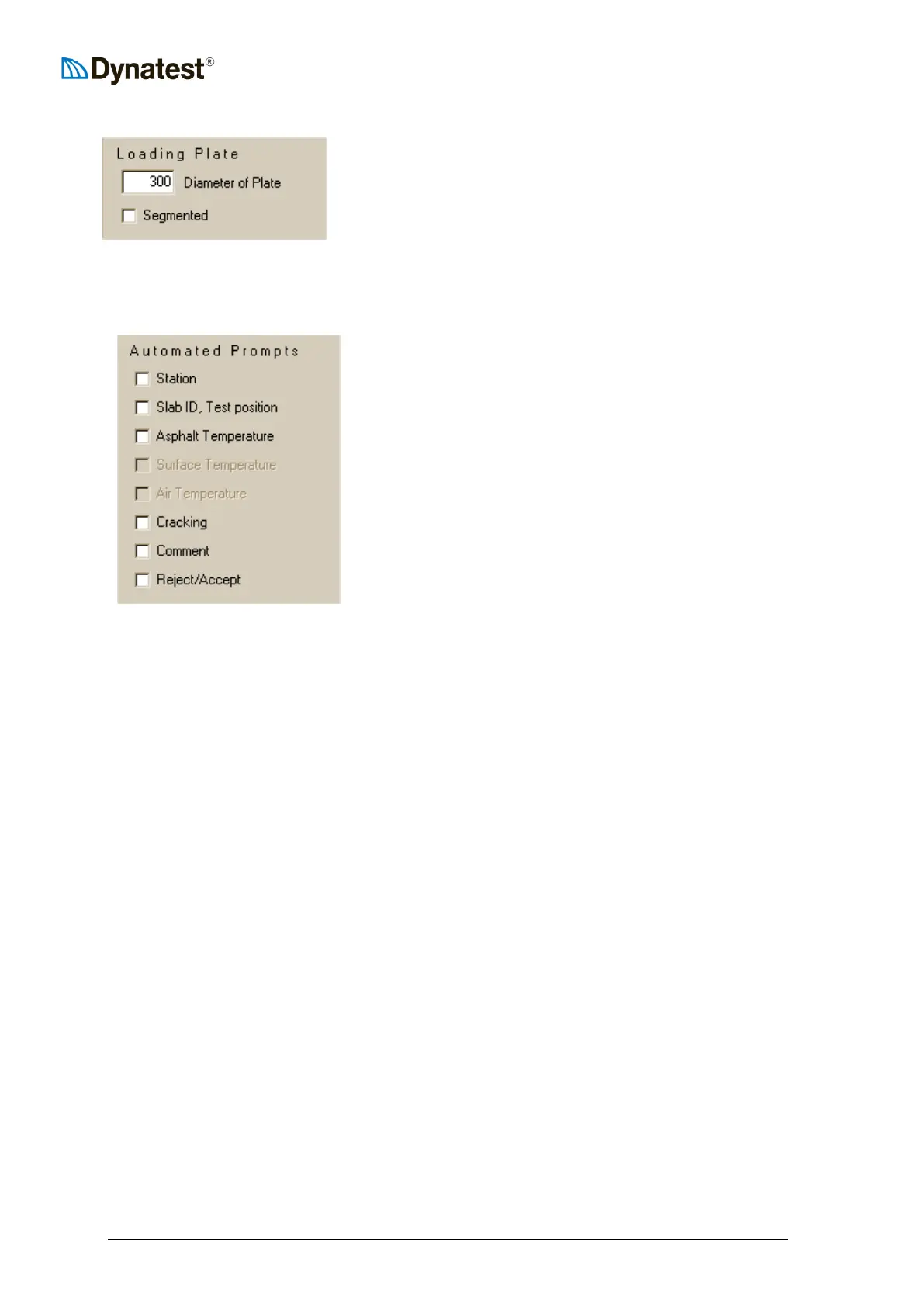
Loading Plate
The FWD/HWD is provided with two sizes of load plates – a
300 mm (5.9 in.) and a 450 mm (11.8 in.) diameter plate. You
must indicate which plate is presently installed on the
FWD/HWD. If the plate is segmented (split) the Segmented
box should be checked as well. A quick visual inspection of
the load plate will reveal its size and whether it is segmented. A segmented plate consists of
two semicircular pieces.
Automated Prompts
Automated prompts provide an interactive way for the
operator to enter or verify certain information at each test
point prior to storage in the data file. Automated prompts
should be used sparingly as they contribute heavily to
operator fatigue and slow production.
Station
This item is mostly used when the FWD/HWD is equipped with a third party odometer that is
not physically connected to the system. The operator would then read the distance from the
dash and enter it into the dialog box that appears at each test point.
Slab ID, Test Position
This prompt is only used on jointed Portland Cement Concrete pavements. It is common
practice to assign numbers to slabs so that they can be positively identified during the data
analysis phase of the project, which almost always occurs in the office away from the test site.
If this option is checked, FwdWin will prompt the operator to enter the slab number and
position (corner, joint, midslab, etc.) of the load plate.
Asphalt Temperature
This option is activated on projects where the operator or technician is manually measuring
(average) asphalt temperatures (e.g. at mid-depth of layer). This provides a way to record
these manually measured temperatures in the data file.
Surface Temperature
Same as “Asphalt Temperature” except that the temperatures are measured at the surface as
opposed to mid- or third- depths. This item is greyed (irrelevant) in the Test Setup screen
when an automated surface temperature measurement system is installed.
Air Temperature
Same as “Asphalt Temperature”, except that the technician or operator is measuring and
recording the air temperature. This item is greyed (irrelevant) in the Test Setup screen when
an automated air temperature measurement system is installed.



 To Next Page