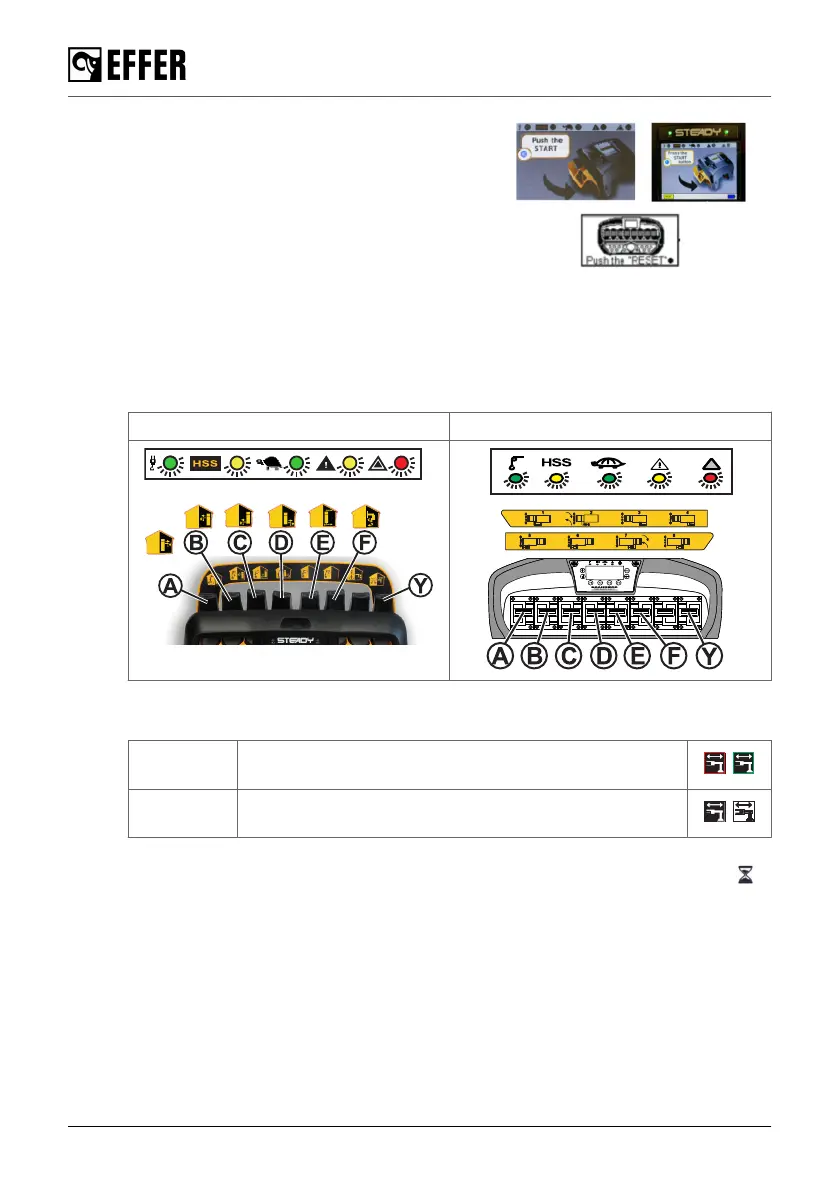
1. Switch on the controller. The 'Press
the START button', 'Push the START',
'PRESS RESET', 'PUSH THE RESET'
screen appears depending on your
controller.
2. Move the last lever (Y) two times in
any direction. LEDs on the upper part
of the controller are flashing during this
simulation mode.
3. Use the levers (A), (B), (C), (D) to simulate the extension of the stabiliser extensions.
The stabiliser extension percentage value is shown.
4. Use the lever (E) if the front and/or rear auxiliary stabiliser system are present for
simulation.
5. Use the lever (F) if the CroSStab is present for simulation.
STEADY Scanreco
The symbols on the corners of the displays show:
STEADY
Red frame: stabiliser extension is extended 0%.
Green frame: stabiliser extension is extended >0%.
Scanreco
Black background: stabiliser extension is extended 0%.
Without background: stabiliser extension is extended >0%.
6. Use the lever (Y) to run the simulation calculation. During the calculation this symbol is
shown on the display.
During operation
110 EFFER 265-315-395-525 Progress 2.0 CE



 To Next Page