Emergency stop buttons
• Check that the emergency stop buttons are undamaged and working properly.
Levers on the controller
• Check that the levers operate smoothly.
• Check that the levers return to neutral position.
Controller
• Do a check of the controller functionality.
• Make sure that there are not warnings and/or faults.
TRI (Transport Report Interface)
• Make sure that there is not any acoustic signal and/or warning LED active when the crane and
stabiliser system are in transport position.
• Make sure that the acoustic signal and the warning LED are active when you start operating the
stabiliser system or unfolding the boom system.
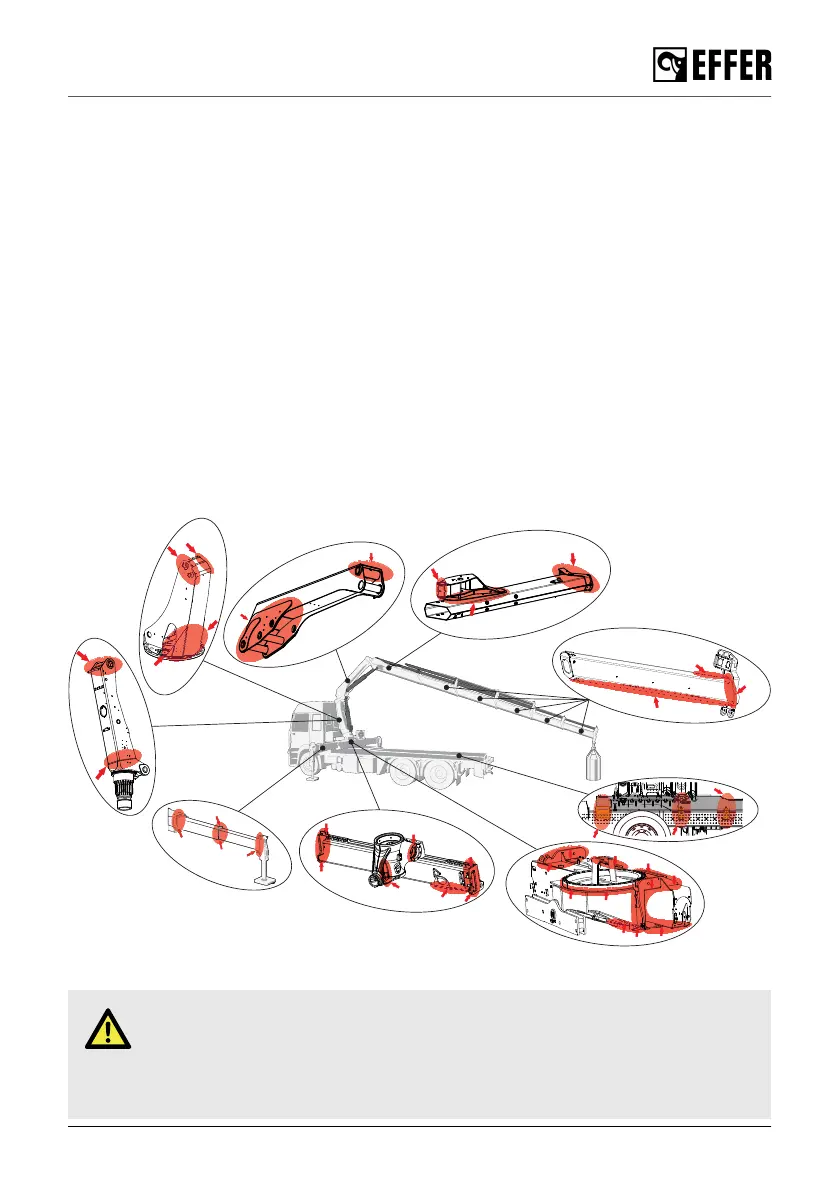
Crane structure
• Check for damage to the crane structure (e.g. any formation of cracks, including the paint).
DANGER
In the event of damage that presents a safety risk:
• Do not use the crane.
• Have the damage repaired immediately by an authorised service workshop.
Maintenance and Service
EFFER 265-315-395-525 Progress 2.0 CE 145



 To Next Page